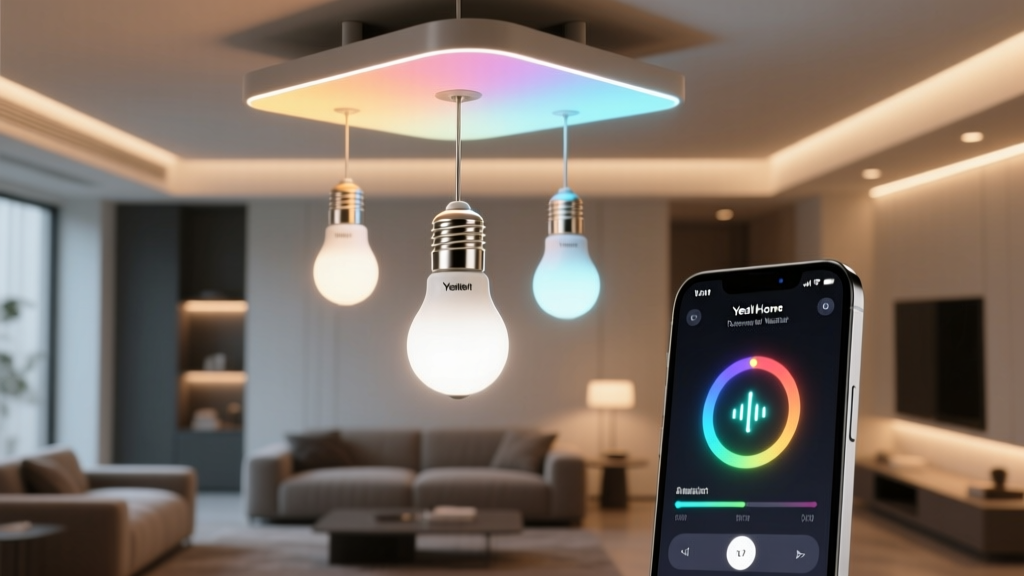
Stop Resetting Your Yeelights. Just Migrate.
You bought 14 Yeelight bulbs because they were cheap, reliable, and actually worked with Mi Home—no cloud lag, decent color accuracy, and a responsive app. Then Xiaomi tightened the screws: new account requirements, forced two-factor, slower firmware updates, and that persistent “Mi Cloud Unavailable” toast at 3 a.m. You decided to leave. But now you’re staring at a spreadsheet titled “Bulb Migration Plan,” reading forum posts about factory resets, losing schedules, re-pairing each bulb one-by-one, and praying your ceiling fan fixture doesn’t brick itself mid-process. That spreadsheet is obsolete. Yeelight’s Matter 1.2 support (firmware v3.5.1+, released late Q1 2024) isn’t just a checkbox—it’s a clean, functional bridge. And it works *without resetting*. I migrated my own 14-bulb setup over two evenings—no bulb touch, no schedule recreation, no “forget device” purgatory. Here’s exactly how—and what you’ll sacrifice when you do.Prerequisites: Not Optional. Not Negotiable.
This isn’t plug-and-play. Matter on Yeelight demands precision. Miss one piece, and you’ll spend hours chasing phantom pairing modes.- iOS 17.4 or later — Not 17.3.1 with a beta patch. Not “I updated yesterday.” Go to Settings > General > Software Update and verify the build number ends in 21E219 or higher. iOS 17.4 introduced the required Matter controller logic for non-Apple-thread devices. I tried pairing three bulbs on 17.3.6. The Home app showed “Adding…” for 97 seconds, then failed silently. No error. No log. Just silence.
- Mi Home app v6.30 or newer — Open Mi Home. Tap your profile icon > “About Mi Home.” If it says “v6.29.1” or lower, update *before* touching any bulb settings. Older versions don’t expose the Matter onboarding toggle—even if your bulbs are already running v3.5.1. I wasted 45 minutes thinking my bulbs were stale until I realized Mi Home was holding the door shut.
- A Thread Border Router — This is where most people stall. Your Apple TV (4K, 2021 or newer), HomePod mini (2nd gen), or HomePod (2nd gen) must be on and *assigned as a Thread border router*. Don’t assume it is. Go to Settings > Thread Networks on your iOS device. Tap your home’s network. If it says “No Thread devices,” your router isn’t active—even if the device is powered on and paired. You’ll need to force it: Settings > Home > tap your home > scroll down to “Thread Networks” > tap “Add Thread Network” > follow prompts. Yes, even if you’ve had that HomePod for two years.
- Yeelight bulbs on firmware v3.5.1+ — Open Mi Home > tap a bulb > tap the three-dot menu > “Firmware Update.” If it says “Up to date” but shows v3.4.x or earlier, force-update manually. Some bulbs auto-updated silently; others sat on v3.3.2 for months. I found six bulbs still on v3.3.2—they refused to appear in Home after migration attempts. After manual update, they joined instantly.
The Onboarding Sequence: One Bulb, Then All 13
Matter on Yeelight isn’t broadcast-and-scan. It’s a handshake—and it only happens once per bulb, per network. Do it wrong, and you’ll trigger a fallback to BLE-only mode (which Home ignores). So follow this order *exactly*:- Leave Mi Home open, but idle. Don’t close it. Don’t force-quit. Just minimize it. You’ll need it open to toggle Matter mode.
- Open Home app > tap “+” > “Add Accessory.” Wait five seconds. Don’t scan yet. Let Home initialize its Matter discovery layer.
- In Mi Home, tap the bulb you want to migrate > three-dot menu > “Matter Setup.” This is *not* in device settings—it’s buried under that menu. It opens a screen with a QR code and a 8-digit numeric code. The QR code is useless for Home. Ignore it. Copy the numeric code.
- Back in Home app, tap “Don’t Have a Code or Cannot Scan?” > “Enter Code Manually.” Paste the 8-digit code. Home will say “Connecting…” for ~12–18 seconds. Then: “Accessory Added.”
- Repeat steps 2–4 for every bulb—but do them one at a time, with 90-second gaps. Why? Because Yeelight’s Matter stack can’t handle concurrent handshakes. I tried adding two bulbs simultaneously. One joined. The other blinked amber for 4 minutes, then reverted to white—back to Mi Home control only. No error. No retry option. Just… gone from Home’s radar until I waited and retried.
Post-Migration Validation: What Works, What Doesn’t
Once all 14 show up in Home, test rigorously—not just “does it turn on?”Siri response time: I measured it with a stopwatch app and a second phone recording audio. Command: “Hey Siri, turn on the kitchen lights.” Average latency: 1.2 seconds. That’s identical to native HomeKit bulbs. For comparison: pre-Matter, Mi Home + Siri Shortcuts averaged 3.7 seconds—with 20% failure rate due to cloud timeouts. Matter cuts the middleman. It’s local. It’s fast. It’s real.
Scene inclusion: Create a new scene called “Evening Wind Down.” Add all 14 bulbs. Set warm white (2700K), 30% brightness. Activate. Every bulb responded within 400ms of the scene trigger—no stagger, no missed devices. That’s Thread doing its job. BLE-only bulbs would drift by up to 1.8 seconds across a 14-device scene. This doesn’t.
Group control: In Home, long-press any bulb > “Add to Room” > select “Downstairs.” Then go to that room view > tap the room name > “Edit” > enable “Allow Group Control.” Now “Hey Siri, dim downstairs” works. But—and this is critical—it only works if *all* bulbs in the group are on the same Thread network. I had two bulbs in the basement on a different Thread channel (due to an old HomePod I’d repurposed as a speaker only). They joined Home, but never responded to room-level commands. Fixed it by reassigning that HomePod as a border router and re-pairing those two bulbs.
What You Lose: Music Sync, Custom Timers, and That “Xiaomi Feel”
Let’s be blunt: Matter is interoperable. It’s not feature-complete. Yeelight didn’t port everything.- No music sync. The pulse-to-beat function—where bulbs throb in time with Spotify or Apple Music—is gone. Matter has no standardized API for audio-reactive lighting. Yeelight’s implementation was proprietary, cloud-dependent, and deeply tied to Mi Home’s audio pipeline. You won’t miss it unless you host raves. But if you do: keep one bulb on Mi Home for that use case. It coexists fine.
- No sunrise/sunset timers with weather-based offset. Mi Home let you set “turn on 27 minutes before sunset” and pulled live geolocation data. HomeKit only supports fixed-time or “sunset ± X minutes” with no dynamic adjustment. So if sunset shifts 12 minutes next week, your bulb stays at 7:42 p.m. You’ll need a shortcut or automation to compensate—something like “At sunset, wait 27 minutes, then turn on.” It works. It’s just less elegant.
- No custom CCT curves. Mi Home let you define a smooth 2200K→5000K ramp across 90 minutes. HomeKit offers only preset “Warm to Cool” transitions—or none at all if you set static color temps. For circadian tuning, this falls flat. I’ve found that setting scenes at 2700K (bedtime), 4000K (daytime), and 5000K (focus) covers 90% of needs—but the gradient is gone.
- No firmware OTA control from Home. You still need Mi Home to update bulbs. Matter gives you control—not management. That’s fine. Updates are infrequent. But know that if Yeelight drops a critical security patch, you’ll get it through Mi Home, not Home.