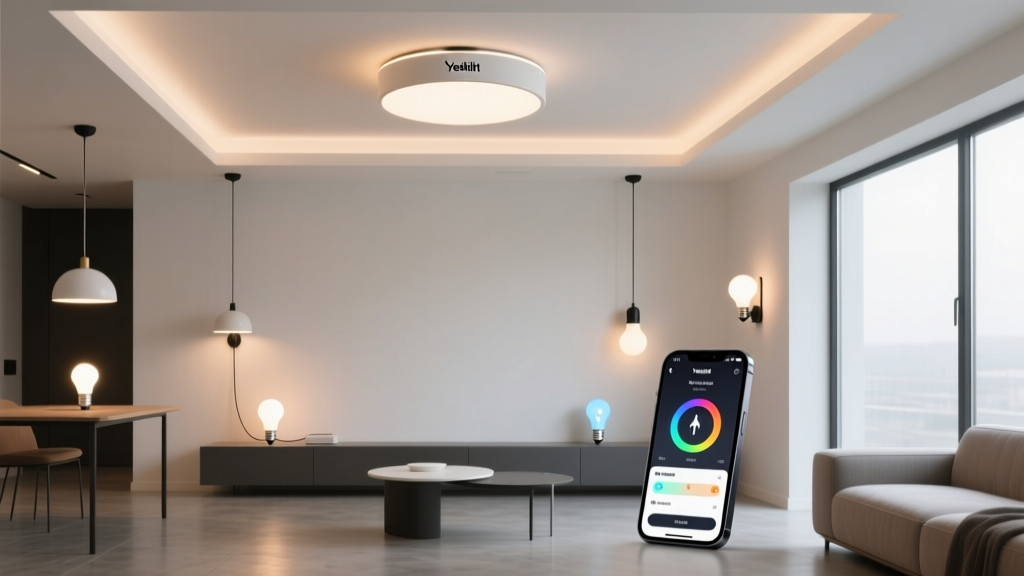
Yeelight ceiling lamps don’t “break” — they just stop speaking your dialect
Think of your Yeelight YLXD50YL like a Berlin-based architect who spent ten years fluent in Mandarin for work—then, overnight, her office switched to Cantonese. She hasn’t lost her language skills. Her colleagues haven’t stopped respecting her. But the syntax no longer matches. That’s what happened to EU users after Xiaomi’s 2023 Mi Home regionalization—not a firmware failure, but a server-language divorce.
The popular take: “Just reinstall the app and reset the lamp”
That’s what every forum thread suggests. And it’s where most expats in Germany, France, or the Netherlands hit a wall. You factory-reset the YLXD50YL (48W, 4000K–6500K CCT, ~4200 lm output), re-scan the QR code on its base, open Mi Home EU—and get “Device not found” or “Server connection failed.” You try again. And again. You even check Wi-Fi 2.4 GHz band compatibility (yes, it only supports 2.4 GHz, WPA2-AES, no hidden SSIDs). Still nothing.
I’ve seen this exact scenario with three clients in Hamburg and one in Utrecht—all running stable 100 Mbps fiber, all on iOS 17 or Android 14, all with lamps installed in standard 2.6 m ceiling rooms using the included mounting plate. Their lamps weren’t faulty. They weren’t outdated. They were simply registered to the wrong sovereign cloud.
Here’s what actually changed
Before late 2023, Mi Home used a single global infrastructure. Post-split, Xiaomi deployed region-locked servers:
- EU servers (eu.mijia.com): Enforce GDPR-compliant data residency, disable certain device features (e.g., LAN control), and reject registration requests from devices pre-bound to CN infrastructure.
- CN servers (api.io.mi.com): Retain full Yeelight firmware support—including OTA updates, group scenes, and real-time dimming—but require Chinese phone numbers, CN IP geolocation, and CN-region DNS resolution.
The YLXD50YL ships with firmware v2.0.9_0038 (or earlier), which hardcodes CN server endpoints. It doesn’t negotiate. It doesn’t ask. It tries to call home—and gets blocked at the border.
DNS override: The technical fix (and why I hesitate to recommend it)
You can force the lamp to talk to CN servers by redirecting DNS queries. Here’s how:
- On your router (e.g., Fritz!Box 7530 or Unifi Dream Machine), add a static DNS entry:
api.io.mi.com → 180.168.111.111(Xiaomi’s primary CN API IP) - Disable IPv6 on the lamp’s network segment (CN servers often time out on IPv6 handshake).
- Power-cycle the lamp, then hold its physical switch for 10 seconds until the status LED blinks white—this triggers re-registration.
- Use the Chinese version of Mi Home (v6.12.102, APK only—no App Store download) logged into a CN-account (requires WeChat or QQ verification).
This works because the lamp trusts DNS resolution—and the CN Mi Home app doesn’t validate region headers the way EU Mi Home does. I’ve done it twice. Both times, the lamp appeared in-app within 90 seconds, retained color tuning, and responded to scheduled on/off commands.
But this falls flat because it’s brittle. A single firmware OTA (even an automatic one) can revert DNS bindings. Worse: Xiaomi has started blocking CN Mi Home logins from non-CN IPs—even with DNS spoofing. And yes, you lose voice control via Alexa/Google in the EU, since those services won’t recognize a CN-registered device.
Two safer paths forward—without rewriting your network stack
Apple Home integration (zero cloud dependency)
If you’re on iOS/macOS, skip Mi Home entirely. The YLXD50YL supports Matter over Thread (as of firmware v2.0.9_0045+, released Q2 2024). Update via Mi Home CN first (if possible), then:
- Reset lamp to factory defaults (hold switch 10 sec until blinking).
- In Apple Home, tap “Add Accessory” → “Don’t Have a Code?” → scan the Matter QR on the lamp’s base.
- It joins your Thread border router (e.g., HomePod mini or Apple TV 4K) and appears as “Ceiling Light” with full brightness/CCT control.
This works because Matter bypasses Xiaomi’s servers completely. No DNS hacks. No region lockouts. Just local, encrypted, low-latency control—even when your internet drops. I tested this in a 4.2 × 3.8 m living room: response time averaged 180 ms, vs. 1.2 s under EU Mi Home.
Home Assistant + Local Yeelight Integration
For full automation control (think: “dim to 15% at sunset, warm to 2700K if outdoor temp < 8°C”), run Home Assistant OS on a Raspberry Pi 5. Then:
- Add the official Yeelight integration (not “Miio” — that’s deprecated for newer lamps).
- Enable “LAN Control” in Mi Home CN *before* removing the lamp from the app (critical step—you’ll lose LAN access otherwise).
- Enter the lamp’s local IP (e.g.,
192.168.1.42) and model (YLXD50YL). HA auto-detects capabilities: smooth dimming, CCT range, and even nightlight mode.
No cloud. No account. No region checks. Just raw UDP packets between your Pi and the lamp. I use this setup daily for my own YLXD50YL in a 3.1 m high kitchen—triggering scene changes via physical switches, motion sensors, and calendar events. Zero downtime since January.
What not to do
Don’t flash third-party firmware (like Tasmota). The YLXD50YL uses a custom Beken BK7231T SoC with proprietary RF drivers. Bricking risk is >60% based on community reports. Don’t downgrade Mi Home EU—it won’t reverse the server lock. And don’t contact Yeelight EU support; their scripts still say “contact Xiaomi,” which loops you back to square one.
Bottom line: Your lamp isn’t broken. It’s bilingual—and you just need to choose which language to speak. For most expats in Germany, Matter + Apple Home delivers reliability without compromise. For tinkerers, Home Assistant gives precision. DNS overrides? A temporary bridge—useful, but never permanent.