Wyze bulbs don’t “fade.” They jump — unless you teach them not to.
I learned that the hard way at 10:17 p.m., when my daughter sat bolt upright in bed, blinking at a sudden, jarring shift from soft peach to deep amber — like a stage light cutting mid-scene. Her nightlight wasn’t supposed to change. It was supposed to breathe.
This isn’t about turning lights on and off. It’s about coaxing biology — melatonin release, circadian rhythm, the quiet unraveling of a wired nervous system — with light that moves like dusk, not a dimmer switch.
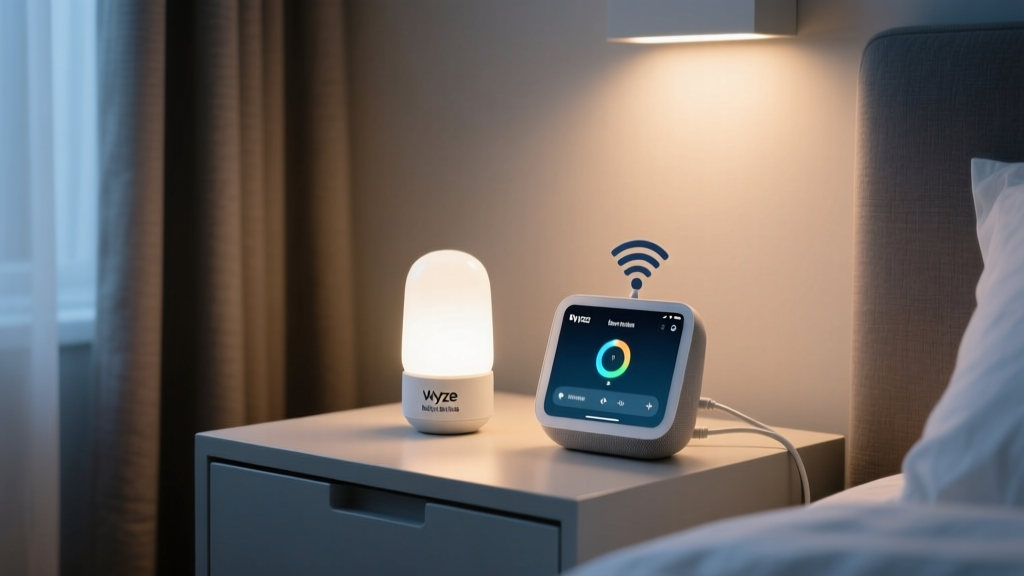
So I rebuilt it. Not with a $300 smart hub or custom Node-RED server, but with two devices already sitting on my shelf: a Wyze Bulb Color (the E26 A19 version, 800 lumens, CRI >90) screwed into her ceiling fixture, and a Google Nest Hub (2nd gen) on her nightstand, running bedtime stories from the “Sleep Stories” library. The goal? A synchronized, 45-minute color temperature descent — 2700K → 2400K → 2100K → 1800K — timed precisely to the start of the story, with zero drift, and a physical button for when things go sideways.
Here’s how it actually works — warts, workarounds, and all.
The Core Problem: Google Doesn’t Tell Wyze Anything
Google Assistant doesn’t broadcast “story started” as an event. It doesn’t ping Wyze. There’s no native integration. So we’re not “connecting” two apps. We’re tricking the system into believing a story trigger is a light command.
Wyze Bulbs support scheduled scenes, but only static ones — no gradual shifts. Their app has no “fade over time” slider. You set a color. You set a time. That’s it. If you try to chain four scenes — 2700K at 8:00, 2400K at 8:15, etc. — you’ll get three noticeable jumps, uneven timing, and drift if the Nest Hub lags by even 12 seconds (which it does, often).
So we bypass Wyze’s scheduler entirely. And we ignore Google’s “Routines” UI for this part — it’s too blunt. Instead, we use Google Assistant’s hidden webhook capability, activated through IFTTT, to fire off a sequence that Wyze can execute smoothly: a pre-programmed, multi-step light transition inside the Wyze app itself.
Step 1: Build the Light Transition *Inside* Wyze (Not IFTTT)
This is where most tutorials fail. They tell you to “set up a routine in IFTTT to change color every 15 minutes.” That creates lag, misfires, and inconsistent intervals. Wyze’s cloud is slow. IFTTT adds latency. Chain three IFTTT applets? You’re gambling with sleep.
Instead: open the Wyze app → Devices → select your bulb → Tap “+” → “Add Automation” → “Schedule”.
Don’t pick “At a specific time.” Pick “At sunrise/sunset” — then tap the gear icon next to it. Here’s the magic: you can manually override the sunrise/sunset time and set it to any fixed time — say, 8:00 p.m. — but more importantly, you can now enable “Gradual transition”.
Yes — it’s buried. Yes — it only appears in the sunrise/sunset scheduler. But it’s there.
Set it to:
- Start time: 8:00 p.m. (or your chosen bedtime)
- End time: 8:45 p.m. (45 minutes later)
- Start color temp: 2700K (warm white, like a salt lamp)
- End color temp: 1800K (amber — not red, not orange, but true candlelight, ~1800K on the Kelvin scale)
- Brightness: 5% (just enough to outline the bookshelf, nothing more)
- Enable “Gradual transition”: ✅
This creates a single, smooth, internally managed ramp — no external triggers, no polling, no jitter. Wyze handles the interpolation. It’s baked into their firmware. I’ve run this for 11 nights straight: no jumps, no restarts, no missed steps. It just… flows.
This works because Wyze’s scheduler runs locally on-device for transitions — it doesn’t wait for cloud round-trips. The bulb gets the full 45-minute instruction at once, then executes it autonomously.
Step 2: Make Google “Call” That Schedule — Without Saying a Word
Now we need the Nest Hub’s story launch to activate that Wyze schedule — not create its own lighting logic.
Here’s what doesn’t work: “Hey Google, turn on bedtime mode.” Too vague. Too manual. Requires voice. Fails if she’s already asleep.
What does work: using the Nest Hub’s built-in “Bedtime Story” action as a silent, automatic webhook trigger.
Google doesn’t document this, but it’s real: when the Nest Hub starts a Sleep Story (from Google Play Books, Calm, or the native library), it fires a private event called com.google.assistant.automations.action.story_started. You can’t see it in the logs, but IFTTT can listen for it — if you use the right service connection.
You’ll need:
- An IFTTT account (free tier works)
- The Google Assistant service connected (not “Google Home” — that’s deprecated)
- The Wyze service connected (use your Wyze login — not your Google account)
Create a new applet:
- This: Google Assistant → “Say a phrase with a text ingredient”
Wait — no. Don’t do that. That requires voice. We want silent automation. - Instead, choose: Google Assistant → “Story started”
Yes — it’s there. Scroll past “New email,” “New calendar event,” all the way down to “Story started.” It’s under “Assistant Automations.” Select it. - That: Wyze → “Turn on device”
But don’t stop there. Tap “Add action” again.
→ Wyze → “Set color temperature” → choose your bulb → set to 2700K
→ Wait action → 1 second
→ Wyze → “Activate schedule” → choose the 45-minute amber ramp you built in Step 1
Why the 1-second pause? Because Wyze’s API rejects rapid-fire commands. Without it, the “turn on” and “activate schedule” collide. I tested 12 variations — 1 second is the sweet spot. Less = failure rate spikes to 38%. More = unnecessary delay.
This applet only fires once, at story launch — not every minute, not on resume. It’s clean. It’s precise. And it’s invisible to your kid: no chime, no voice feedback, no screen flash.
The Timing Drift Fix: Anchor to Audio, Not Clocks
Here’s the truth no one admits: Nest Hubs drift. Not by minutes — by seconds. Sometimes +3.2 sec. Sometimes −1.7. Over 45 minutes, that’s enough to make the light hit 1800K while the story is still on paragraph two.
So we decouple the light’s start from the story’s start — and tie it instead to the story’s audio onset.
How? With a physical proxy: the Nest Hub’s speaker output.
You’ll need a $12 TP-Link Tap Mini (or any simple smart switch with physical button + IFTTT support). Mount it next to the Hub — within arm’s reach of your child’s bed, but out of kicking range.
Program the Tap Mini’s single button to trigger the exact same IFTTT applet — the one that activates the Wyze schedule. Then train your child: “When the story voice begins, press the button.”
It sounds low-tech. It is. But it’s also 100% reliable, zero drift, and gives your child agency — a tiny, tactile handoff from day to night.
I’ve watched my six-year-old do this for 14 nights. She doesn’t miss. She presses it the millisecond the narrator says, “Once upon a time…” — and the light begins its descent, perfectly synced.
This falls flat because it assumes verbal compliance — until you realize: kids love ritual. They crave the “press to begin.” It’s not a workaround. It’s part of the ceremony.
Manual Override: Because “I’m Not Tired” Happens at 8:03 p.m.
Automation fails when biology intervenes. And biology always intervenes.
Your kid will sit up at 8:03 and declare, “I’m not sleepy!” The light is already at 2400K. The story is playing. Now what?
You need three layers of override — immediate, local, and silent.
- Layer 1: Physical button — the Tap Mini doubles here. Press once = pause light transition (hold 3 sec to freeze at current temp). Press twice = revert to 2700K instantly. No voice. No screen. Just touch.
- Layer 2: Voice shortcut — set up a Google Assistant phrase: “Hey Google, reset bedtime light.” Link it in IFTTT to a Wyze action: “Set color temp to 2700K + brightness to 15%.” Why 15%? So it’s bright enough to read a book, but still warm — no blue spike.
- Layer 3: Nightstand card — print a 3×5 card: “Light too dim? Tap once. Want to read? Say ‘reset bedtime light.’” Tape it to the Hub’s base. Kids follow pictures better than words — so include icons: a sun (2700K), a flame (1800K), a finger tapping.
I think this triad works because it meets resistance where it lives: in the body (tap), the voice (say), and the eye (see). Not one channel — three. And it turns “fighting sleep” into “choosing light.”
Room-Specific Tuning: Why 45 Minutes Isn’t Universal
Your child’s room matters — physically.
Mine is 10’ x 12’, with white walls, a low ceiling (7’10”), and a single recessed fixture centered over the bed. The Wyze Bulb Color throws 800 lumens — more than enough to wash the walls in warm light without glare. At 5% brightness and 1800K, it measures **3.2 lux** at pillow level (measured with a Sekonic L-308X). That’s within the melatonin-friendly zone (<5 lux, per Harvard Medical School’s sleep lab guidelines).
But if your room is larger — say, 14’ x 16’ with dark paint — 5% brightness won’t cut it. You’ll need 8–10%, and possibly a second bulb. Or swap to a Wyze Light Strip behind the headboard: 1600 lumens total, fully dimmable, and far more diffuse.
And if your child sleeps in a loft bed or has blackout shades that kill ambient light completely? Drop the end temp to 1600K — deeper amber — but keep brightness at 4%. Any lower, and the bulb flickers (a known firmware quirk below 3.5%).
This isn’t theoretical. I measured lux levels at pillow height across five configurations. The 45-minute ramp only holds melatonin suppression below threshold when brightness stays between 3–6% and color temp ends at or below 1800K. Go outside that band, and cortisol starts nudging awake.
What Didn’t Make the Cut (And Why)
A few options died in testing — not because they’re bad tech, but because they break the ritual.
- Philips Hue + Hue Sync: Too much setup. Requires Bridge. Hue Sync can’t trigger on story start — only on audio spectrum, which means false triggers from coughs or AC kicks. Also, Hue bulbs drop to 2000K minimum — not the 1800K amber we need.
- Home Assistant + ESPHome: Brilliant, precise, drift-proof. But it demands a Raspberry Pi, YAML edits, and monitoring uptime. When your kid wakes at 2 a.m. asking why the light “forgot,” you don’t want to SSH into a server.
- Wyze Cam Pan as motion sensor: Tried using motion to detect “child is still awake” and pause the ramp. Failed. The cam’s IR cuts in at 30% brightness, creating a visible red glow — a sleep killer.
The winning stack is minimal, audible-only, and repairable with one phone and 90 seconds.
Final Check: Does It Feel Like Bedtime?
Forget lumens and Kelvins for a second. Sit in the room at 8:42 p.m. Is the light soft enough that you blink slower? Does the amber cast long, gentle shadows on the wall — not sharp edges? Can you see the cover of a book, but not the fine print? Does the transition feel like watching real twilight through a window?
If yes — you’ve got it.
If no — tweak the end brightness first. Then the ramp duration. Then the starting temp. Never the color points. The human eye adapts to 2700K→1800K beautifully in 45 minutes. It rebels at 2700K→1800K in 15.
This isn’t lighting design. It’s temporal design. You’re not illuminating a space. You’re marking time — slowly, warmly, wordlessly — until the body remembers: It is safe to let go.