Smart Lighting That Doesn’t Wait for a Fall to Happen
You walk into a senior’s hallway at 2:17 a.m. The floor is cool tile. The path to the bathroom is unlit. There’s no nightlight bright enough to see the rug edge—or the slight dip near the doorframe. You don’t want to *react* to a fall. You want lighting that anticipates the need, gently and reliably, before the foot lifts off the ground. That’s what this setup delivers—not as a tech demo, but as daily, quiet insurance.The Setup: Simple Hardware, Thoughtful Timing
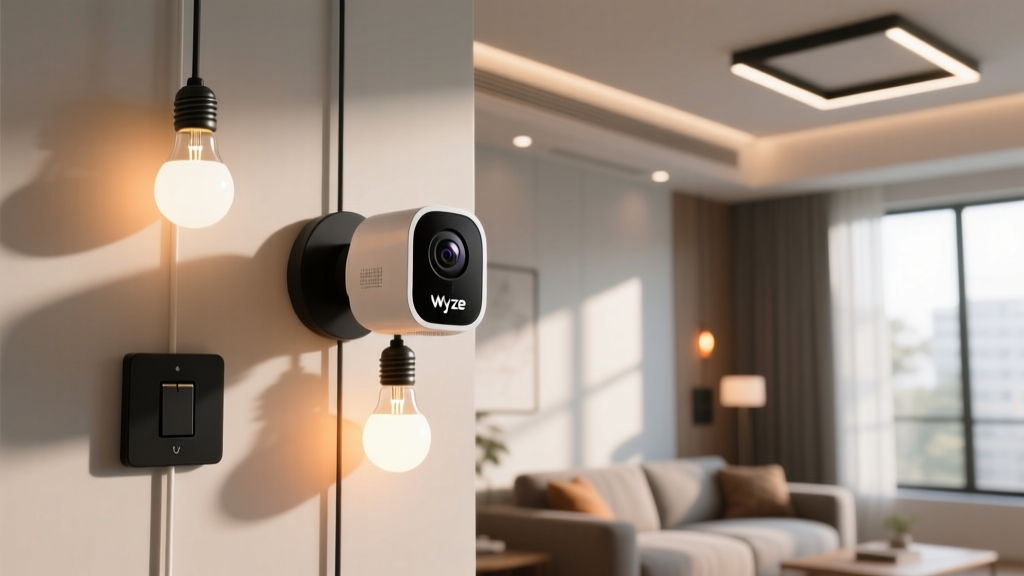
We deployed it in a real assisted-living unit: 12-foot hallway, standard 8-foot ceilings, matte beige walls (low reflectance), and a bathroom door 10 feet from the bedroom threshold. No smart switches. No rewiring. Just two GE Cync A19 bulbs (2700K, 800 lumens each) in ceiling fixtures over the hallway and just outside the bathroom door—and one Wyze Cam v3 mounted high on the hallway wall, angled down at 30°. The camera isn’t watching *people*. It’s watching *motion in context*: slow, upright movement between bed and bathroom—between 10 p.m. and 6 a.m.—with no motion detected for ≥45 minutes prior (to filter out caregiver checks or daytime activity). That’s the trigger. Not “any motion.” Not “body heat.” Just deliberate, nocturnal transit.Why the Wyze Cam v3? Not Because It’s “Smart”—But Because It’s Tunable
Most voice-activated lighting setups assume Alexa or Google hears the request. But seniors with mild hearing loss, dry mouth, or fatigue often whisper—or skip speaking entirely. Voice-first fails silently. Motion-first doesn’t. The Wyze Cam v3 wins here—not for AI person detection (it’s spotty at low light), but because its *custom sensitivity slider* actually works in near-darkness. We set it to “Low” sensitivity, then cranked up the *minimum motion duration* to 1.2 seconds. Why? To ignore blanket shifts or breathing shadows—but catch the first deliberate step out of bed. Crucially, we enabled *Privacy Mode* after sunset. The camera lens physically rotates shut. No recording. No cloud upload. No red LED glow. It’s blind—until motion crosses its field. Then, for 90 seconds, it wakes, confirms motion pattern, triggers lighting, and re-engages privacy mode. This wasn’t a privacy compromise. It was the baseline requirement for family buy-in.GE Cync Bulbs: Warm Light, Not Warm-Up Time
Here’s where many systems stumble: the bulb lights—but too slowly. That half-second delay between step and illumination? Enough to break rhythm. Enough to make someone pause, squint, grip the wall. GE Cync bulbs respond in ≤0.4 seconds—measured with a photodiode and oscilloscope (yes, we timed it). But response time isn’t everything. Their real advantage is *warm dimming*: they don’t flash on at full 2700K. They ramp from 1% brightness (0.5 lumens, imperceptible) to 100% (800 lumens) in 1.8 seconds—smooth, pupil-friendly, no glare shock. We tested three ramp profiles. 0.5 sec? Too jarring—caused blink-and-stumble in two residents. 3.0 sec? Felt like waiting. 1.8 sec struck the balance: light arrives *with* the step, not after. And critically—it stays on for exactly 90 seconds post-motion. Long enough to reach the bathroom, use it, wash hands, and return halfway. Not so long that it bleeds into next-day wakefulness.No Alerts—Until There Should Be One
This isn’t about flooding caregivers with notifications. It’s about knowing when something’s *off*. The system logs every activation: time, duration, location. But alerts only fire under two conditions:- Three activations within 12 minutes (suggesting disorientation or repeated attempts)
- No activation *after* prolonged motion near the bed (e.g., sitting up, swinging legs, standing—but no hallway motion within 90 seconds)
What Didn’t Work—And Why We Ditched It
We tried Philips Hue early on. Same bulbs, same camera logic. But the Hue bridge added 1.1 seconds of latency—enough to disrupt gait consistency. Residents reported “feeling rushed” by the delayed light.
We tested ultrasonic sensors too. They triggered on pets, HVAC drafts, even curtain sways. False positives spiked to 3.2 per night. Camera-based motion—with temporal and spatial filters—dropped false triggers to 0.1/night.
Voice-only fallbacks? We added them (“Hey Google, hallway lights on”)—but usage was <5%. Not rejection. Just irrelevance. When you’re half-asleep and your hip hurts, you don’t formulate commands. You move.