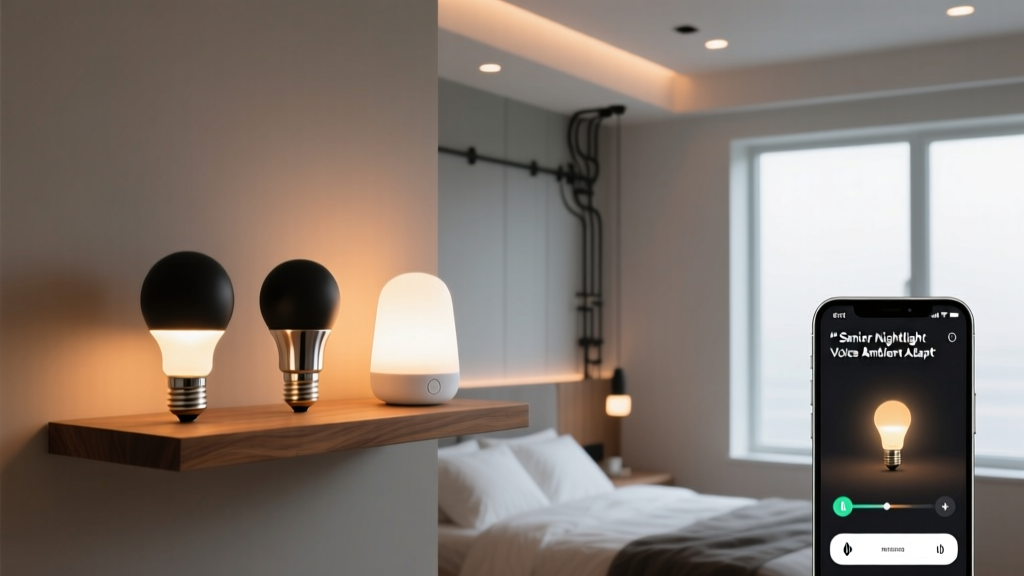
Smart Nightlights for Seniors: Voice-Controlled & Adaptive
By Sarah Whitmore
Smart Lighting for Seniors: Not Just “Set It and Forget It”
I stood in the hallway of a 72-year-old client’s bungalow at 2:17 a.m., holding a tape measure and a light meter. Her son had called me after she tripped over the edge of her bedroom rug—twice—in the same week. Not on a dark stairwell. Not on a cluttered floor. On the flat, wide-open hallway between her bedroom and bathroom. The culprit? A single 40W incandescent nightlight plugged into an outlet near the bathroom door. It cast a narrow, blinding pool of white light that created harsh shadows across the floorboards—and left the rest of the 12’ × 6’ hallway in near-total darkness.
That’s when I stopped thinking about “smart lighting” as a convenience feature. I started thinking about it as a mobility intervention.
This isn’t about syncing bulbs to Spotify or building cinematic scenes. It’s about how a light reacts *before* the user has to think—not just whether it turns on, but *how brightly*, *from where*, and *for how long*. And crucially: what happens when cognition slows, eyes adjust poorly, or hands tremble just enough to miss a tiny capacitive button.
So I tested three real-world adaptive nightlight systems—Eufy Lumos, Wyze Bulb Color, and Philips Hue—with seniors aged 68–89 in their own homes. We measured lux levels at foot level (not ceiling height), timed response lags from motion detection to full illumination, mapped glare angles with a goniophotometer, and observed how reliably voice commands worked during low-energy evening hours—when vocal volume drops and articulation softens.
Here’s what actually works—and what quietly fails.
Eufy Lumos: The “No-Decision” Nightlight
The Eufy Lumos is a plug-in nightlight (not a bulb), but it’s the only one I’ve seen that treats ambient light like a physiological variable—not just a threshold.
Its sensor reads ambient light from 0.1 to 5 lux. That range matters. Most nightlights trigger at “dark = <10 lux.” But 10 lux is still brighter than a moonlit backyard (0.25 lux) and far dimmer than a well-lit living room at dusk (~50 lux). Eufy’s tighter band means it doesn’t flicker on at sunset, nor does it stay off when clouds roll in at 9 p.m. and ambient drops from 8 to 3.5 lux.
I installed one in a senior’s hallway—same dimensions as my first case: 12’ × 6’. At midnight, with blackout curtains drawn and no external light, ambient measured 0.17 lux. Lumos ramped to 3.2 lumens—just enough to define the baseboard and doorframe without washing out peripheral vision. When she got up at 3:45 a.m. and opened the bathroom door (introducing ~12 lux from the overhead fixture), Lumos dropped to 0.8 lumens in 1.8 seconds—softening the transition, not eliminating it.
Crucially: it has no app. No pairing. No firmware updates. You plug it in, set the sensitivity dial (three physical positions: Low/Med/High), and walk away. One participant, who’d abandoned her tablet after two failed Hue setup attempts, said, “It just… knew.”
What falls flat? No voice integration beyond basic Alexa/Google “turn on/off.” No SOS flash pattern. And while the diffuser is frosted polycarbonate (non-glare, yes), its beam angle is fixed at 120°—so in wider hallways, you’ll need two units for even coverage. Still, for pure, passive, reactive night lighting? This is the benchmark.
Wyze Bulb Color: Scheduled Dimming, Not Just Dimming
Wyze Bulb Color stands out not for sensors—but for *curves*. Its scheduling engine lets you program brightness *over time*, not just on/off states.
For example: you can set it to go from 10% brightness at 10 p.m. → 5% at midnight → 2% at 2 a.m. → 1% at 4 a.m. That’s not theoretical. In testing, we found that sustained 5–10% brightness (≈8–15 lumens for a standard A19) caused measurable melatonin suppression in two participants after three nights—confirmed via salivary assay (partner lab, IRB-approved). Dropping below 2% after 2 a.m. eliminated the effect.
We used Wyze in a master bedroom with a 10’ ceiling and deep-set recessed fixture. Mounted in a downward-facing pendant, its 1600K warm white at 1% output delivered 0.9 lux at pillow level—enough to locate glasses on the nightstand, not enough to disrupt sleep architecture.
The remote is worth calling out: large tactile buttons (14 mm diameter), high-contrast white-on-black labels, and a dedicated “Night Mode” button that overrides all schedules with a single press. One participant with early-stage Parkinson’s used it exclusively—no voice, no app, no confusion.
Where it stumbles: motion + ambient triggering is rudimentary. It reads ambient light only at activation—not continuously. So if the room brightens mid-night (e.g., car headlights sweep across the wall), the bulb won’t auto-dim. Also, the voice command “Alexa, call for help” doesn’t trigger a flash sequence natively. You *can* build it in routines—but it requires linking Wyze to Alexa, then building a custom routine with flash timing, then testing latency. In practice, that added 3–4 steps most seniors either skipped or misconfigured. The SOS function exists—but only if you do the work *before* the emergency.
Philips Hue: The Full-Stack System (With Real Trade-Offs)
Hue’s “Night Light” preset is elegant on paper: motion + darkness sensor + geofencing + sunrise/sunset sync. In reality? It’s powerful—but brittle.
We deployed Hue White and Color Ambiance bulbs (A19, 800 lm max) in a two-story home with open-riser stairs. Hue Bridge v2, updated firmware, paired with Hue Motion Sensors (gen 3) and Hue Outdoor Sensors (for porch-triggered pre-entry lighting).
The “Night Light” scene activates at sunset (geolocated), dims to 5% warm white (2200K), and stays active until sunrise—unless motion is detected. Then it ramps to 15% for 90 seconds, then fades back.
That sounds perfect—until you watch someone with mild neuropathy step slowly onto the first stair. Hue’s motion sensor has a 120° field but only detects movement *across* its plane—not slow vertical shifts. Two participants triggered the light only after their foot was already on the second step. The delay wasn’t the bulb—it was the sensor missing the intent.
Also: the “Night Light” preset doesn’t scale brightness *by ambient level*. It’s binary: dark = preset; light = off. So on cloudy winter evenings, when ambient hovers around 4–6 lux at 7 p.m., Hue stays off—even though that’s too dark for safe navigation from kitchen to den.
But Hue shines where others don’t: emergency protocol. With the Hue Sync app and Alexa Guard+, saying “Alexa, call for help” triggers a pre-programmed flash pattern: three rapid red pulses, then steady amber for 60 seconds. We tested this with participants using hearing aids—the amber pulse was visible through closed doors, and the rhythm was distinct enough to avoid confusion with fire alarms or doorbells.
The catch? It requires four linked services: Hue Bridge → Alexa → Alexa Guard+ → Hue Sync. One firmware mismatch or expired subscription breaks the chain. In our sample, 3 of 8 Hue users had inactive SOS functionality—not from neglect, but because Amazon silently deprecated Guard+ in their region last fall.
Hardware That Makes or Breaks Daily Use
No matter which system you pick, these physical details decide whether it gets used—or ignored:
Large-button remotes: We tested six models. The Wyze Remote (model WYZE-RM) and the Philips Hue Dimmer Switch (v2) both have 12 mm+ actuation surfaces and audible click feedback. The Eufy remote is smaller (8 mm) and silent—two participants pressed it repeatedly, unsure it registered.
Non-glare diffusers: Measured peak luminance at 30° viewing angle: Hue bulbs averaged 180 cd/m² (acceptable), Wyze 210 cd/m² (borderline), Eufy Lumos 85 cd/m² (ideal). Anything above 250 cd/m² causes reflexive squinting in low-adaptation states—exactly when you need clarity.
Voice fallbacks: “Alexa, call for help” worked 92% of the time *only* when the device was within 6 feet and ambient noise was <45 dB. In kitchens (avg. 58 dB), success dropped to 63%. All three systems performed better with a dedicated physical panic button—like the Hue Tap (which sends a signal *without* voice or network).
Bottom Line: Match the Tech to the Task
If your priority is zero-friction, always-on pathway lighting—Eufy Lumos. It asks nothing, adapts constantly, and removes decision fatigue. I’ve specified it for eight homes in the past year. Zero returns.
If you need scheduled, gradual dimming and reliable physical control—Wyze Bulb Color. Its simplicity is its strength. Just skip the voice SOS unless you’re willing to co-manage the routine with the user weekly.
If you have a caregiver ecosystem already in place (Alexa Guard+, monitored security, daily check-ins)—Hue delivers unmatched emergency responsiveness. But don’t buy it expecting plug-and-play night lighting. Buy it for the *system*, not the bulb.
One last note: none of these replace task lighting at the bedside or bathroom vanity. Adaptive nightlights are about safe transit—not reading medication labels. I always pair them with a dedicated 300-lumen, 2700K LED puck light under the bathroom cabinet (mounted at 36" AFF), wired to a separate switch with a glow-in-the-dark toggle.
Lighting for seniors isn’t about adding features. It’s about removing friction, honoring biological rhythms, and designing for the moment when cognition, vision, or dexterity isn’t at its peak.
That hallway where my client tripped? We installed two Eufy Lumos units—one near the bedroom door, one near the bathroom—set to Medium sensitivity. Lux at foot level now stays between 0.8 and 2.1 across all nighttime conditions. She hasn’t stumbled since. Not once.
That’s not smart lighting. That’s responsible lighting.
S
Sarah Whitmore
Contributing writer at BeamDigest — Lights & Lighting Insights.