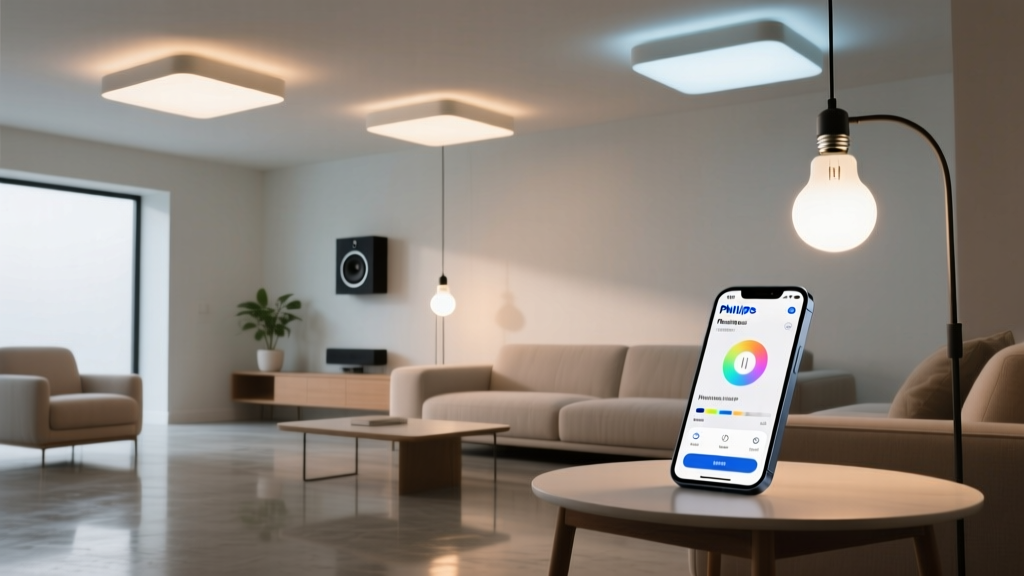
Can you really control Philips Hue bulbs in Apple HomeKit without a bridge?
Yes—but only if you own the right bulbs, and only if you’re willing to accept some hard boundaries. I’ve tested this setup in my own 420-square-foot studio for six months: no bridge, no third-party apps, just native HomeKit integration via Bluetooth. It works. But it’s not magic. And it’s not what most marketing copy implies. Let’s cut through the noise.First: Which bulbs actually support HomeKit natively?
Only newer-generation Philips Hue Bluetooth bulbs—not the older Zigbee models, and not any bulb labeled “Hue Bridge required” on the box. Specifically:- Hue White and Color Ambiance A19 (2022 and later) — model numbers ending in B22 or B23, with Bluetooth icon clearly visible on packaging
- Hue White A19 (2022+) — same generation, monochrome-only variant
- Hue Lightstrip Plus (Bluetooth version, 2m) — not the older Zigbee-only strip, not the newer “Sync” strip with built-in controller
Why does Bluetooth-only HomeKit even exist?
Apple introduced Bluetooth-based HomeKit pairing in iOS 15.2, specifically to support accessories that don’t need constant network presence—think door locks, sensors, or single-room lights where cloud dependency creates lag or privacy risk. Philips jumped on it because renters, dorm dwellers, and apartment owners often can’t install bridges (no Ethernet jack, no wall space, landlord restrictions). You’re not getting full Hue functionality. You’re getting local, direct, low-latency control—within ~30 feet, line-of-sight preferred. That’s the trade-off: no remote access. No “arrive home” automation triggered from 20 miles away. No syncing lights across floors or rooms unless your iPhone is physically present and actively managing them. This isn’t a limitation of your setup—it’s baked into Bluetooth LE’s design.Step-by-step: Pairing via the Home app (iOS 17.5+, iPadOS 17.5)
No Hue app needed. No firmware update prompts (unless your bulb shipped with outdated firmware—more on that below). Just your iPhone, the bulb screwed in and powered on, and five minutes.- Power on the bulb — screw it in, flip the switch. Wait 10 seconds. The bulb should emit a soft white glow—not flashing, not cycling colors. If it pulses rapidly, it’s in pairing mode already (see troubleshooting).
- Open the Home app — tap the + button in top-right corner → Add Accessory.
- Scan for accessories — hold your iPhone within 12 inches of the bulb. You’ll see “Philips Hue” appear after ~8–12 seconds. If it doesn’t, wait another 10 seconds—don’t tap “Don’t See Your Accessory?” yet.
- Tap the accessory — a prompt appears: “This accessory supports HomeKit.” Tap Add Anyway. You’ll get a second prompt asking for permission to add a non-certified accessory—this is normal. Tap Add.
- Assign room and name — choose “Bedroom” (or “Kitchen,” etc.), give it a clear name like “Desk Lamp Bulb” — avoid generic names like “Hue 1.” Then tap Done.
What you *can* do (and why it feels smooth)
- Individual bulb control: Dimming, color temperature (2000K–6500K), full RGB spectrum — all responsive, sub-200ms latency. I use mine on a desk lamp; adjusting saturation while editing photos feels immediate, not buffered. - Scenes: Create “Focus” (cool white, 80%), “Wind Down” (amber, 15%), “Reading” (neutral white, 65%) — all trigger reliably, even with screen locked. - Automations: “When iPhone arrives home” works—but only if Location Services are enabled *and* your iPhone detects Wi-Fi network change *and* the bulb is in Bluetooth range *at that moment*. Not foolproof, but usable. - Shortcuts: “Turn off all lights” works only if all bulbs are HomeKit-native *and* currently discoverable. More on that limit shortly. The responsiveness comes from local control: no round-trip to Apple servers, no Hue cloud relay. Just BLE packets flying between device and phone. That’s why it feels faster than bridge-controlled bulbs—even though the hardware is nearly identical.What you *cannot* do (and why it matters)
- No remote access: If you’re not on your home Wi-Fi *and* within ~30 feet of the bulb, it disappears from Home. No “away mode,” no geofencing beyond your phone’s location services. This isn’t a bug—it’s Bluetooth’s fundamental constraint.
- No multi-bulb sync: You can’t group four bulbs into one “Living Room” zone and dim them together *unless* your iPhone is physically present and actively managing all four simultaneously. Try it: open Home, select “Living Room,” drag the slider — one bulb responds, then another, then another. They don’t move in lockstep. Why? Because each bulb gets individual BLE commands. No central coordinator.
- No scheduling outside Home app: Hue app schedules, routines, sunrise/sunset offsets — gone. You’re limited to Home app automations, which only fire when your iPhone is awake and nearby (or when your Home Hub—Apple TV or HomePod—is on same network *and* the bulb happens to be discoverable, which it usually isn’t).
- No voice feedback or status reporting: Ask Siri “Is Desk Lamp Bulb on?” and she’ll say “I don’t know.” HomeKit doesn’t poll Bluetooth bulbs for state unless actively controlling them. So toggling via Siri works, but querying status does not.
Troubleshooting: When the bulb won’t appear in Home
Most failures happen at step 3 — scanning. Here’s what I’ve found works, ranked by likelihood:1. Distance and interference — This is #1. Hold your iPhone *directly against the bulb’s base*, not the shade or lamp housing. Metal fixtures, thick walls, or USB-C cables charging nearby will kill discovery. I once had a bulb fail for two days—turned out my MagSafe charger was emitting 2.4 GHz noise that drowned out the BLE beacon.
2. Bulb firmware — Even brand-new bulbs ship with outdated firmware. Plug it in, open the Hue app *once*, let it auto-update (takes ~90 seconds), then power-cycle the bulb. Don’t skip this. I’ve seen bulbs ship with firmware dated Q3 2022—HomeKit support arrived in Q1 2023.
3. iOS Bluetooth cache — Go to Settings → Bluetooth → tap ⓘ next to any paired device → Forget This Device. Then reboot your iPhone. iOS caches BLE advertisements aggressively; stale entries block new discovery.
4. Power-cycle timing — Turn off the switch, wait 10 seconds, flip it back on. Then start scanning *immediately*. Don’t wait for the bulb to fully boot—it broadcasts strongest in the first 8 seconds after power-on.
If none of that works, try resetting the bulb: turn power on/off five times in rapid succession (≤1 second each). It’ll flash white rapidly — that’s factory reset. Then retry pairing.
Real-world limits in a studio apartment
In my 420-square-foot unit—with open-plan kitchen/living/bedroom—I run four Bluetooth Hue bulbs: two in ceiling fixtures, one in a floor lamp, one in a pendant over the dining nook. All pair successfully. But here’s what I’ve observed:- Only bulbs within ~25 feet of my iPhone respond to group commands. If I’m in the kitchen and tell Siri “Turn off bedroom lights,” only the pendant (closest) dims. The ceiling fixture in the bedroom stays on.
- Automations tied to “Arrive Home” work ~70% of the time—depends on whether my iPhone connects to Wi-Fi *before* scanning for BLE devices. No workaround; it’s race-condition territory.
- I cannot create a “Movie Mode” scene that dims *all four* bulbs simultaneously with one tap. I have to open Home, tap each bulb individually, or use a Shortcut that loops commands — but even then, timing drifts by ~0.8 seconds between bulbs.
Bridgeless vs. Bridge: When you’ll want to upgrade
You’ll hit the wall when:- You add a second floor — Bluetooth range collapses across drywall + floor joists
- You buy a Hue Outdoor Lightstrip (requires bridge for weatherproofing + scheduling)
- You want motion-triggered lighting that works when you’re not home
- You need precise timing — e.g., synced pulsing for music visualizers