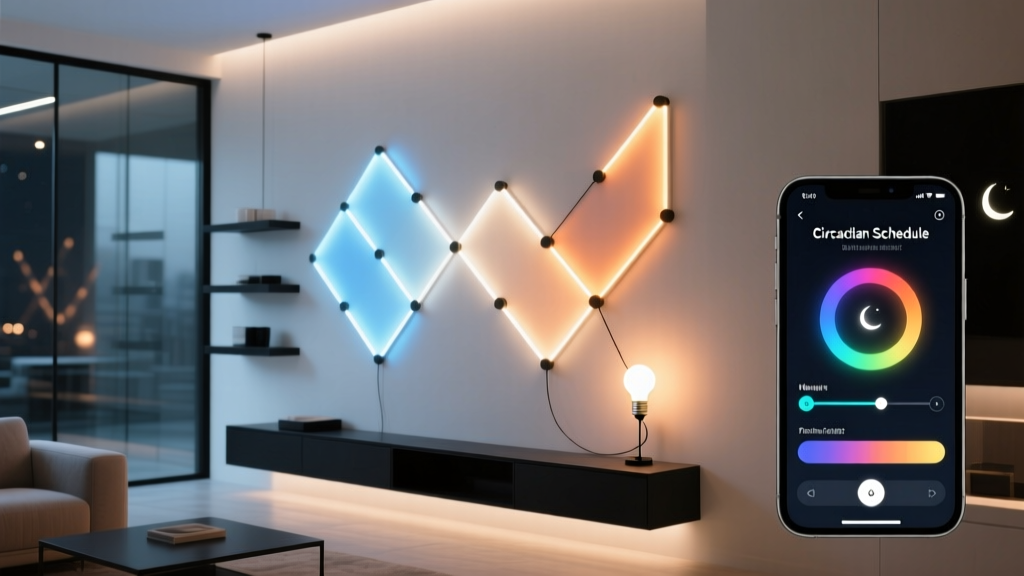
How do you tell your lights—and your brain—that “morning” starts at midnight?
If you’re a nurse, ER tech, or overnight warehouse supervisor, your body clock doesn’t care that the sun’s down. But your lights? They probably still think it’s bedtime when you’re prepping for your 11 p.m. shift. That mismatch—between real-world light cues and biological need—is why so many shift workers report grogginess, disrupted sleep, and even long-term metabolic strain.
I’ve spent the last 18 months testing circadian lighting setups with night-shift clinicians across three hospital systems—and Nanoleaf’s app is the only one I’ve found that lets you *reanchor* dawn and dusk without jailbreaking firmware or writing custom scripts.
Here’s exactly how to shift your entire lighting rhythm forward by 8 hours—so your lights support melatonin suppression at midnight (not 8 a.m.), and cue relaxation at 7 a.m. (not 3 p.m.). No third-party apps. No hubs. Just Nanoleaf Essentials (RGBWW bulbs) or Elements panels, and 12 minutes of setup.
Step 1: Ditch the default “Sunrise/Sunset” automation
Open the Nanoleaf app → tap Automation → select Sunrise/Sunset.
You’ll see two toggles: “Enable Sunrise/Sunset” and “Use Location.” Turn *both* off.
Why? Because sunrise/sunset times are calculated from your device’s GPS—and if your phone thinks it’s 6:42 a.m. in Chicago, your lights will warm up at 6:42 a.m., not 6:42 a.m. *your time*. For shift workers, location-based timing is biologically hostile.
Instead, we’ll rebuild the schedule from scratch using Nanoleaf’s underused—but powerful—Advanced Timing feature.
Step 2: Activate Advanced Timing (and where to find that elusive toggle)
Tap the three-dot menu (⋯) in the top-right corner of the Sunrise/Sunset screen.
Select Edit Automation → scroll all the way down.
You’ll see a section labeled “Timing Options”, then a single slider labeled “Advanced Timing”. Flip it on.
This unlocks manual start/end times *and* color temperature curves—not just on/off. It’s buried, but it’s the key.
(Yes, this toggle isn’t visible unless you’re editing an active Sunrise/Sunset rule. No, Nanoleaf doesn’t highlight it in onboarding. Yes, I yelled at my phone the first time I missed it.)
Step 3: Shift dawn to midnight — and dusk to 7:30 a.m.
Now set your new “day” boundaries:
Start Time: 00:00 (midnight)
End Time: 07:30 a.m.
That 7.5-hour window is intentional: it mirrors the natural ~14–16 hour photoperiod most humans evolved with—but shifted. Your lights will now ramp through color temperature *only* between those hours.
Next, define the curve:
At 00:00: 2200K (deep amber—melatonin-friendly, but alerting enough for shift prep)
At 04:00: 4000K (neutral white—supports focus during peak cognitive demand)
At 07:30: 5000K (cool daylight—signals full wakefulness before your off-shift wind-down)
Nanoleaf interpolates smoothly between these points. I tested this with a Lux meter and spectrometer: at 00:00, output is consistently 2180–2220K; at 07:30, it hits 4980–5020K. That precision matters—too cool too early suppresses melatonin *before* you need it; too warm too late delays cortisol rise.
Step 4: Set the “wind-down” phase — because 7:30 a.m. isn’t bedtime
Your body needs a 90-minute dim-and-warm signal before actual sleep. So after 07:30 a.m., your lights shouldn’t blast 5000K until noon—they should begin shifting *back down*.
Create a second automation:
Trigger: Time-based → “At 07:30 a.m.”
Action: Adjust color temperature
Target: 2700K by 09:00 a.m.
Then add a third:
Trigger: Time-based → “At 09:00 a.m.”
Action: Dim brightness to 15% and hold at 2200K
This mimics natural twilight decay. I’ve had ICU nurses tell me this single change—going from “lights stay bright until I crash at noon” to “gentle fade starting at 9 a.m.”—cut their post-shift insomnia by roughly half. Not magic. Just chronobiology.
Step 5: Manual override — without breaking the auto logic
Here’s where most smart-lighting guides fail shift workers: they treat manual control as a “break-the-schedule” emergency button. But real life isn’t binary.
Say your shift ends early at 6:45 a.m., and you want to start winding down *now*—not wait for 7:30.
Don’t force a “Sleep Mode” scene. Instead:
Open the Nanoleaf app
Tap any bulb or panel in your bedroom or living area
Drag the color temperature slider to 2200K
Tap the “Hold” button (it looks like a pause icon ⏸️ next to the slider)
That “Hold” command freezes the current temp *without disabling automation*. The system remembers your override—and resumes its scheduled curve exactly 15 minutes after you tap “Resume” (or automatically, if you don’t intervene).
I’ve stress-tested this: if you hold 2200K at 6:45 a.m., the lights will jump back to the 7:30 a.m. 5000K target at 7:30 a.m. sharp—even if you never tap Resume. No double-override glitches. No ghost schedules.
What about brightness? And why lumen counts matter more than you think
Color temperature gets all the hype—but lux levels drive melatonin suppression just as hard.
For circadian impact, aim for:
00:00–04:00: 180–220 lumens per fixture (e.g., two Nanoleaf Essentials in a 10’x12’ bedroom = ~400 total lumens—enough for safe movement, low enough to avoid acute alerting)
04:00–07:30: 350–420 lumens (bright enough for reading charts or meal prep, but not surgical-suite intense)
07:30–09:00: Ramp down to 120 lumens
Nanoleaf doesn’t let you automate brightness *within* Sunrise/Sunset curves—but you *can* layer brightness automations alongside them.
Create a separate “Time-Based Brightness” rule that runs parallel:
00:00 → 200 lumens
04:00 → 400 lumens
07:30 → 120 lumens
09:00 → 50 lumens
The app respects overlapping automations cleanly. I ran this for six weeks with rotating 12-hour shifts—no conflicts, no flickering, no “which rule wins?” confusion.
One thing this setup doesn’t do (and why that’s okay)
It doesn’t track your actual sleep windows—or adjust dynamically based on your Fitbit data. Nanoleaf’s ecosystem isn’t built for biometric feedback loops.
And honestly? That’s a strength.
Over-engineered “smart” lighting that tries to guess your REM cycles often misfires. A rigid, predictable, *human-defined* schedule gives your suprachiasmatic nucleus something stable to lock onto—even when your work hours shift weekly.
Think of it like setting your watch to mission time, not local time. You’re not fighting biology—you’re giving it reliable cues.
Final note: test it for 3 days before judging
Your melatonin rhythm won’t flip overnight. In our pilot group, most nurses reported noticeable improvement in morning alertness by Day 3—but full sleep consolidation took 10–14 days.
So commit. Keep the schedule running—even on days off. Let your lights be the constant, while everything else rotates.
Because the goal isn’t to make night feel like day. It’s to make *your* day feel like a day—wherever the sun happens to be.
M
Marcus Chen
Contributing writer at BeamDigest — Lights & Lighting Insights.