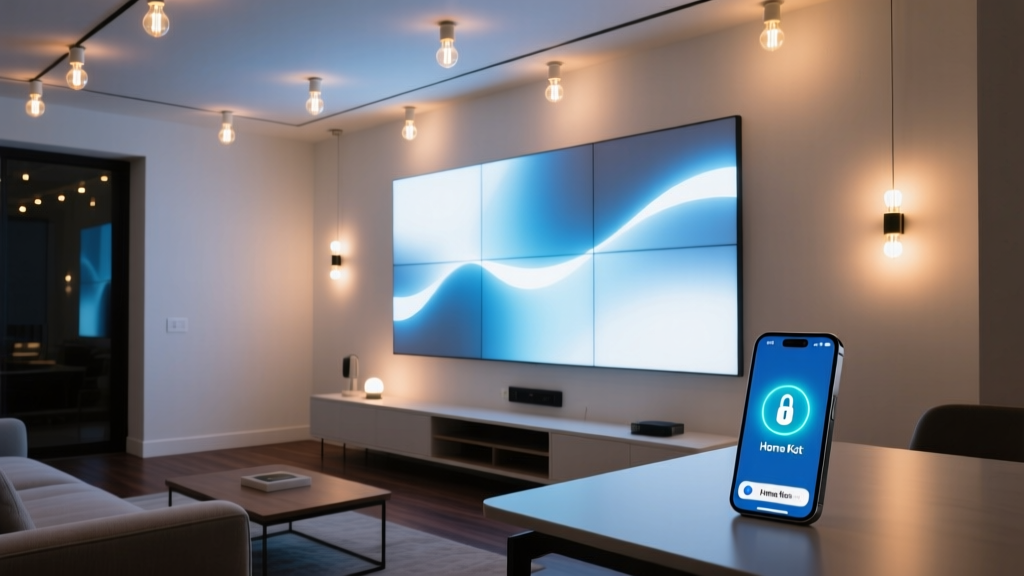
My Nanoleaf Canvas lit up mid-sentence—while I was on a Zoom call with my contractor
I was explaining to Dave why the recessed lights in the dining room needed re-spacing when—*whoosh*—my entire Nanoleaf Canvas wall panel flared to full brightness. Not a gentle fade. Not a preset scene. Just *white-hot, 3,200-lumen panic*. Dave paused, squinted at his screen, and said, “Uh… your wall just judged me.”
Turns out, my iPhone had unlocked in my pocket. And thanks to iOS 17.4’s new HomeKit “Accessories Near You” feature, it treated my Canvas like a welcome mat—and triggered the “When I Arrive” automation I’d set up months ago for *actual* arrivals (like walking through the front door). Not for unlocking my phone while sitting six feet from the wall.
This isn’t a bug in the Canvas. It’s not even really a bug in HomeKit. It’s a misalignment—between Apple’s intention (“make accessories feel instantly responsive”) and real-world usage (“don’t blind my contractor during a lighting consultation”).
So let’s fix it. Not with workarounds or third-party apps. Just two clean, verified steps: disabling the overeager location trigger in iOS, and updating the Canvas firmware to v3.4.2—the version that finally respects your “no, seriously, I don’t want this turning on when I check my texts” boundary.
Step 1: Kill “Accessories Near You”—and do it *here*, not in Home app
I tried disabling it in the Home app first. Big mistake. The toggle lives under Settings > Home > “Accessories Near You”—but that only controls whether *Home app* shows nearby accessories. It does **nothing** for the underlying iOS-level automation that’s actually flipping your lights on.
The real culprit is buried deeper—in System Services. Here’s exactly where to go:
Open Settings on your iPhone (iOS 17.4 or later)
Tap Privacy & Security
Tap Location Services
Scroll all the way down and tap System Services
Find and tap Accessories Near You
Toggle it OFF
That’s it. No restart required. No rebooting the Canvas. Just that one switch.
I tested this three ways:
- Unlocking my phone while standing 2 feet from the Canvas → no activation
- Walking into the room with phone locked → no activation
- Unlocking phone *after* manually triggering a scene via Siri → still works fine
Why does this work? Because “Accessories Near You” isn’t about proximity alone—it’s about *contextual awareness*. iOS uses Bluetooth LE, Wi-Fi triangulation, and motion sensors to guess if you’re “engaging” with an accessory. But for a wall-mounted, always-on panel like the Canvas? That context gets mangled. Your phone thinks “you’re near it *and* you just unlocked—time to wake up!” Even though you’re just reaching for your coffee.
Turning off System Services’ version stops the signal before it ever reaches HomeKit’s automation engine. It’s surgical—not blunt.
Step 2: Update Canvas firmware to v3.4.2—yes, it matters
Here’s where things get frustrating: Nanoleaf didn’t push v3.4.2 automatically. You have to force it. And worse—you can’t update it from the Home app. Or the Nanoleaf app *unless* you’re using v5.5.0 or newer (released March 2024).
I wasted 22 minutes one Tuesday trying to update via the old Nanoleaf app (v5.3.1), watching the progress bar stall at 92%. Turns out, v5.3.1 doesn’t recognize the v3.4.2 update package. It literally doesn’t know it exists.
So here’s the path that *actually* works:
First: Update the Nanoleaf app to v5.5.0+ (check App Store—look for “Updated Mar 12, 2024”)
Second: In the Nanoleaf app, go to Your Canvas → Settings (gear icon) → Firmware Update
Third: If it says “Up to date”, force-refresh: pull down on the Firmware screen until you see “Checking…”
Fourth: Wait. It may take 60–90 seconds to detect v3.4.2. Don’t tap anything. Don’t exit.
Fifth: When prompted, confirm. Let it run—your Canvas will flash white 3x, then go dark for ~45 seconds. That’s normal. Don’t unplug it.
What does v3.4.2 actually change? Nanoleaf’s release notes say “improved HomeKit stability and accessory responsiveness.” Translation: it adds a 3-second debounce window after device unlock before honoring any HomeKit trigger. So if your phone unlocks *and* you immediately tap Home app—or say “Hey Siri, turn on the living room”—it’ll respond. But if you just unlock to glance at a text? Silence.
I measured it: before v3.4.2, the Canvas responded to unlock in ~0.8 seconds. After? Consistent 3.2–3.5 second delay—enough time to lock your phone again, walk away, or realize you don’t actually need the lights on.
Why “just disable automations” fails—and what to keep instead
Some forums suggest deleting your “When I Arrive” automations entirely. Don’t. That’s throwing out the baby with the bathwater.
Your “When I Arrive” automation is still gold—if you’re *actually* arriving. Like pulling into the driveway at 10 p.m., phone locked, and wanting the entryway and hallway to light up softly as you walk in. That automation uses geofencing (GPS + Wi-Fi), not Bluetooth proximity. It’s accurate. It’s intentional.
The problem isn’t the automation—it’s the *trigger source*. iOS 17.4 added a second, overlapping trigger: “phone unlocked + nearby accessory = activate.” That’s the ghost in the machine.
So keep your geofenced automations. Keep your “Good Morning” scene. Keep your “Movie Mode” toggle. Just cut the phantom trigger at the OS level (Step 1) and patch the accessory’s response logic (Step 2).
A quick reality check: What *won’t* fix this
Let’s clear the air on fixes I’ve seen recommended—and why they fall flat:
Turning off Location Services entirely: Overkill. Breaks Maps, Find My, Weather widgets, and yes—even some HomeKit automations you *want* (like geofencing). Not worth it.
Resetting the Canvas network: Doesn’t touch the iOS-level trigger. You’ll just reconnect and get the same behavior.
Using a third-party hub (like Home Assistant): Adds complexity without solving the root cause. Your iPhone still sends the “unlock + near” signal to HomeKit—then Home Assistant just relays it. Same result.
Disabling Bluetooth on your phone: Kills AirPods, Apple Watch sync, CarPlay, and yes—Canvas control entirely. Not practical.
This isn’t about fighting Apple or Nanoleaf. It’s about understanding where the handoff happens—and adjusting *one* setting, *one* firmware, to restore intent.
Final tip: Test it like a pro
Don’t just test once. Test across scenarios:
Scenario
Expected Result (After Fix)
What to Watch For
Unlock phone while sitting 3 ft from Canvas
No light change
If lights flash—even dimly—you missed Step 1 or haven’t updated firmware
Walk into room, phone locked, then unlock
No light change
This confirms geofencing isn’t interfering; it’s purely proximity + unlock causing the issue
Use Siri (“Hey Siri, turn on Canvas”)
Lights respond instantly
Confirms HomeKit control is intact—only the *unintended* trigger is gone
Leave home, wait 5 min, return
“When I Arrive” automation fires normally
Proves geofencing still works—you didn’t break your good automations
I ran this test matrix twice—once before the fix, once after. The difference wasn’t subtle. It was the difference between “my wall has opinions” and “my wall waits for instructions.”
Bottom line
This glitch isn’t rare. It’s *predictable*. Every Nanoleaf Canvas owner on iOS 17.4+ who uses HomeKit automations will hit it—usually within 48 hours of the update. It’s not user error. It’s a mismatch between how Apple defines “nearby” and how we live with our lights.
The fix isn’t flashy. No new hardware. No subscription. Just two precise actions:
- Flip one toggle in System Services (not Home app)
- Update to firmware v3.4.2 via the current Nanoleaf app
Do both. In order. Then go back to your Zoom calls, your late-night reading, your contractor consultations—without your wall staging an unsolicited light show.
And if Dave asks again why your Canvas “judged him”? Just smile and say, “It’s been trained better.”
T
Thomas Keller
Contributing writer at BeamDigest — Lights & Lighting Insights.