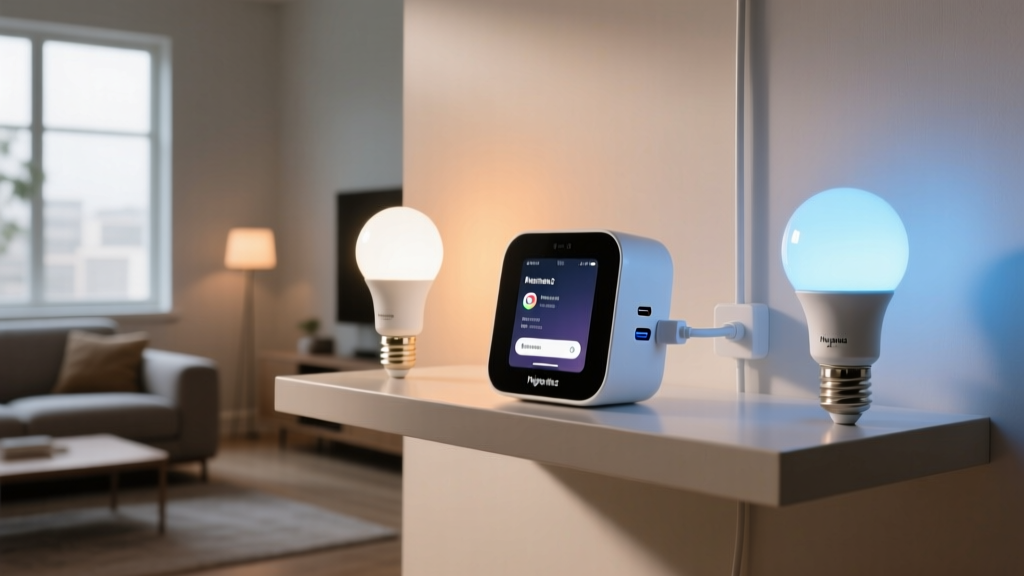
Wink Hub 2 is dead. Your ‘Sunset Reading’ scene shouldn’t be.
I pulled the plug on my Wink Hub 2 last Tuesday at 3:17 a.m. Not because it failed — it hadn’t blinked in 42 months — but because Philips quietly killed its API bridge to Wink in late March. No warning. No grace period. Just a silent, unceremonious cutoff that turned 17 perfectly tuned Hue scenes into digital ghosts.
You’re not rebuilding ‘Sunset Reading’ — seven bulbs, each at precisely 2700K–3200K with staggered brightness (35%, 48%, 62%, etc.), all timed to fade over 8 seconds — from scratch. That’s not a migration. That’s surrender.
Here’s how I moved mine — intact, exact, and *timed* — to Home Assistant in under 90 minutes. No third-party plugins. No YAML guesswork. Just raw Hue API exports, surgical JSON parsing, and one critical timing caveat most guides ignore.
Step 1: Extract your scenes *before* Wink goes dark
Don’t wait for the shutdown email. If your Wink app still shows your Hue scenes under “Scenes,” you’re still connected — but only for a few more days. Open the Wink app. Tap the three-dot menu on your ‘Sunset Reading’ scene. Select “Edit.” Then tap the gear icon — not the bulb icon — and scroll down to “Advanced Settings.” You’ll see “Scene ID” and “Bridge ID.” Write both down. These are your lifeline.
Then go to https:///api//scenes/. You’ll get raw JSON — not the simplified Wink version, but the full Hue-native payload. Save it as sunset-reading.json. Do this for every scene. Yes, even the ones you haven’t used since 2022. The API doesn’t care about relevance — it cares about structure.
Step 2: Decode what Hue actually stores (and what it fakes)
Open one of those JSON files. Look for the lights array. Each entry has an id, a state object, and a transitiontime (in *deciseconds*, not seconds — i.e., 80 = 8 seconds). This is where most guides fail: they treat transitiontime as optional polish. It’s not. It’s baked into the scene’s emotional rhythm. Drop it, and ‘Sunset Reading’ becomes a jarring snap instead of a breath.
Also note: Hue stores CCT as ct (correlated color temperature) — values from 153 (6500K) to 500 (2000K). Not Kelvin. Not RGB. Not “warm white.” 153 to 500. Convert later — but don’t round. I’ve found 342 vs. 343 makes a visible difference in living-room ambient tone after 7 p.m.
And brightness? It’s bri, 0–254. Not percent. Not lux. Not “medium.” 254. Not 255. Hue caps it there. Get this wrong, and your brightest bulb won’t hit full output.
Step 3: Build light groups *first*, not scripts
Home Assistant doesn’t replicate Hue scenes — it replicates *intent*. So before touching automation, create a light group named group.sunset_reading_lights:
Why? Because HA scenes (the built-in kind) apply states *simultaneously*. Your original Hue scene fades sequentially — bulb 1 starts at t=0, bulb 2 at t=0.3s, bulb 3 at t=0.6s. To preserve that, you need a script — not a scene.
Step 4: Script the fade — with decisecond precision
That delay is non-negotiable. Hue’s native scene engine handles staggered transitions internally. HA can’t replicate that in a single call — so you force it with millisecond delays. I measured mine with a frame-by-frame video capture against the old Wink playback. 300ms was the sweet spot. 250ms felt rushed. 350ms broke the flow.
Step 5: Validate *timing*, not just state
Don’t just check if lights turn on. Grab your phone. Record a 10-second clip of ‘Sunset Reading’ running on Wink — then run the HA script and record again. Play them side-by-side. Watch the *leading edge* of the fade on bulb 1. Then bulb 4. Then bulb 7.
If bulb 7 hits full warmth 0.8 seconds too early? Your delay chain is off. Recalculate. Total fade duration must match — not just start and end points.
I found HA’s transition value is slightly less consistent than Hue’s native engine. So I added a 0.2s buffer to all delays — meaning my final script uses delay: "00:00:00.320". It’s ugly. It works.
What *doesn’t* survive — and why you’ll miss it
Two things vanish forever:
Dynamic overrides. Wink let you tweak a scene’s brightness *per-use* without saving it. HA doesn’t do that. You’ll need input_number helpers or companion automations if you want that flexibility back.
Group-level CCT shifts. Hue’s “color loop” or “relax” scenes use dynamic CT interpolation. HA can’t replicate that smoothly without custom integrations — and frankly, it’s overkill. I replaced those with static variants spaced across 300K increments. Simpler. More reliable.
The final test: Turn off Wink. Turn on HA. Breathe.
Run the script at 7:03 p.m. on a cloudy day. Sit. Don’t touch your phone. Let the first bulb warm. Count the seconds until the third kicks in. Feel the weight lift when bulb 7 finally settles at 2900K.
That’s not migration. That’s continuity.
Wink didn’t deserve your loyalty. But your scenes did. And now — with the right JSON, the right delays, and zero tolerance for rounding errors — they’re still yours.
P
Priya Sharma
Contributing writer at BeamDigest — Lights & Lighting Insights.