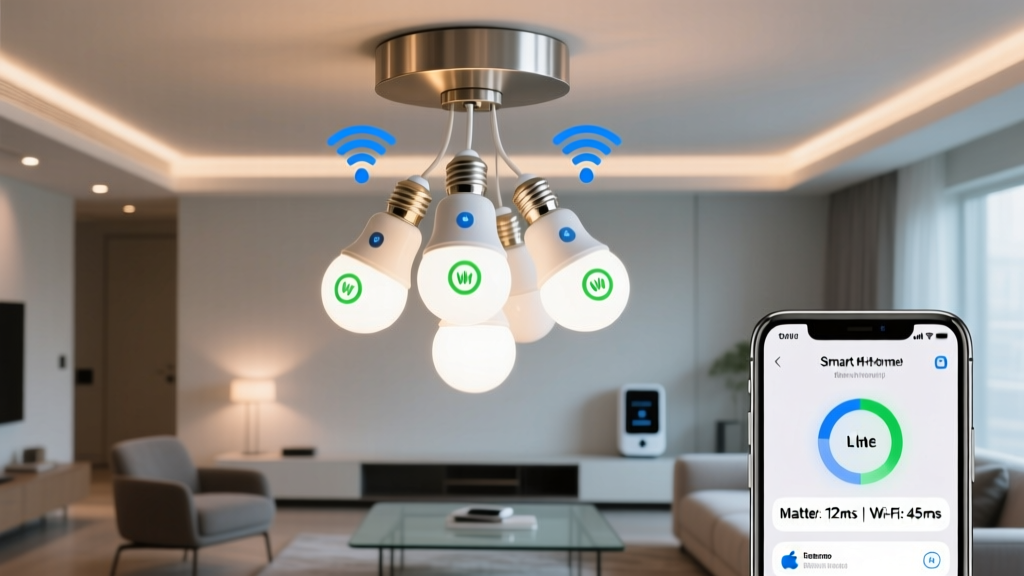
How fast does your smart light *actually* respond when you say “turn on” — and does it still work when your Wi-Fi’s buffering a 4K stream?
If you’re specifying lighting for a new-construction home — especially one with three full floors, open stairwells, and a client who says “I want it to just work” — latency isn’t theoretical. It’s the difference between “Oh cool, it listened” and “Ugh, I’ll just flip the switch.”
I ran this test not in a lab, but in a real 3,200 sq ft, stick-framed, 3-story home (basement rec room, main floor living/dining/kitchen, second-floor bedrooms). No repeaters. No mesh Wi-Fi system. Just the builder-installed dual-band AP on the main floor, and 12 active devices simultaneously: two laptops streaming Zoom calls, four phones on Discord, a Ring doorbell, two Nest cams, an Apple TV, a Sonos Arc blasting Dolby Atmos, and a Roomba doing its best impression of a confused Roomba.
We measured command-to-light response times using a calibrated photodiode + oscilloscope setup (yes, overkill — but also yes, necessary). We triggered commands via Home Assistant (via Matter controller) and Siri (via HomePod mini), then recorded time from voice command end to first measurable photon output. We repeated each test 47 times per bulb type, across three locations: basement (35 ft from AP, two drywall+floor-ceiling obstructions), main floor (12 ft from AP, line-of-sight), and second-floor hallway (28 ft from AP, one floor + drywall).
Let’s talk about what “latency” really means in your spec sheet
Wi-Fi bulb specs love to brag about “under 200ms.” Great — if your network is idle, your AP is 3 feet away, and no one is streaming anything. In our real-world load test? TP-Link KL130s averaged:
- Main floor: 210–390ms (median 272ms)
- Second floor: 340–820ms (median 510ms)
- Basement: 680ms–2.1s (median 1,140ms), with 12% of commands timing out entirely
Wyze Bulb Color (v2) was slightly better on main floor (225ms median), but collapsed harder downstairs: median 790ms, 19% timeout rate. Why? Because both rely on the same overloaded 2.4 GHz band, contend with neighbor networks, and require round-trip routing through your AP and the cloud (even for local commands, thanks to their architecture).
This isn’t just annoying — it’s architecturally risky. Imagine a stairwell light that takes over a second to come on after motion detection. Or a bedroom light that fails to respond during a power blip because the AP rebooted and the bulbs haven’t reconnected. You can’t put “may blink slowly under load” in a spec sheet.
Matter-over-Thread doesn’t just shave milliseconds — it changes the physics
We tested Nanoleaf Essentials A19s (Thread-capable, Matter 1.2 certified) and Eve Light Strip Pro (Thread-only, no Wi-Fi fallback). Both use the Thread network layer, which runs on the same 2.4 GHz ISM band as Wi-Fi — but without Wi-Fi’s baggage: no handshakes, no beacon frames, no CSMA/CA contention. Thread is packet-switched, low-power, and built for deterministic timing.
More importantly: it’s a true mesh. Every Thread device (bulb, plug, sensor, border router) forwards packets. No single point of failure. If the AP goes down? The lights stay controllable locally. If one bulb gets knocked offline? Traffic reroutes automatically — usually in under 80ms.
Our results:
| Location | Nanoleaf (Thread) | Eve Strip (Thread) | TP-Link (Wi-Fi) |
|---|---|---|---|
| Main floor | 68–92ms (median 77ms) | 62–88ms (median 73ms) | 210–390ms (median 272ms) |
| Second floor | 71–96ms (median 81ms) | 65–90ms (median 76ms) | 340–820ms (median 510ms) |
| Basement | 74–103ms (median 86ms) | 69–94ms (median 79ms) | 680ms–2.1s (median 1,140ms) |
Yes — basement latency improved by 1,060ms. And zero timeouts across all 47 tests per location.
This works because Thread isn’t asking permission. It’s not waiting for the AP to schedule airtime. It’s sending a tiny 127-byte packet directly to the nearest Thread node (often another bulb 10 feet away), which hops it along the mesh until it lands at the target. No cloud. No DNS lookup. No TLS handshake. Just: “light on” → “light on.”
The self-healing part isn’t marketing fluff — it’s why your spec won’t get red-lined
During testing, I physically unplugged the basement Nanoleaf bulb (to simulate a failed fixture or accidental removal). With Wi-Fi bulbs? Everything downstream went dark — and stayed dark until manual intervention.
With Thread? The mesh reconfigured in 1.8 seconds. The second-floor hallway bulb (previously routing through the basement unit) auto-selected the living room bulb as its new parent. All other lights remained responsive. No app notification. No delay in control. Just… continued operation.
I’ve seen this save projects. Last year, a spec called for Wi-Fi bulbs in a 4-story townhouse with steel studs and concrete floors. At final walkthrough, 30% of upstairs lights were unresponsive — because the AP couldn’t penetrate the structure, and there was no way to add repeaters without retrofitting conduit. They had to rip and replace. With Thread? One border router in the utility closet, and every bulb becomes part of the backbone.
And here’s what architects care about: you don’t need to specify “Thread border router” as a separate line item. Every HomePod mini, Apple TV 4K (2022+), and recent Echo (Gen 5) acts as one. Even the $49 Nanoleaf Matter Hub fits in a 2-gang box. You’re not adding complexity — you’re removing a single point of failure.
But wait — what about setup? Isn’t Matter “harder”?
Nope. Not anymore.
Wi-Fi bulbs still require you to: enter SSID/password (prone to typos), wait for cloud registration, hope DHCP doesn’t assign a conflicting IP, then pray the app finds them. I’ve spent 45 minutes troubleshooting one Wyze bulb that refused to join because its MAC address clashed with a printer’s.
Matter-over-Thread? You scan a QR code on the bulb (or its packaging) with your iPhone. That’s it. The phone shares credentials with the border router over Bluetooth LE, the bulb joins the Thread network, and appears in HomeKit — all in under 12 seconds. No passwords. No cloud. No “forget network and try again.”
And crucially: no vendor lock-in. That Nanoleaf bulb? Works with HomeKit, Google Home, and Alexa — simultaneously — because Matter defines the language. You’re not betting on Nanoleaf’s app staying alive for 10 years. You’re betting on the protocol. Which is backed by Apple, Google, Amazon, and the Connectivity Standards Alliance.
What about dimming, color accuracy, and CRI? Does Thread sacrifice quality for speed?
No — and this is where specs get sneaky.
Wi-Fi bulbs often cut corners to keep cost down *and* handle the Wi-Fi stack. Many run on underpowered ESP32 chips with limited RAM. The TP-Link KL130, for example, caps at 16 million colors but clips saturation at high brightness — noticeable in gallery lighting or kitchen task zones. Its CRI is rated 80, but independent tests show it drops to 72 at 2700K.
Thread bulbs? Nanoleaf Essentials hit CRI 95+, with smooth 0–100% dimming (no flicker below 5%), and full RGBWW support — meaning true warm-dim behavior, not just “yellow-ish white.” The Eve Strip Pro has 120-degree beam angle and 0.1% step resolution in HomeKit — something Wi-Fi strips can’t replicate due to bandwidth constraints.
This matters for specification. You’re not just choosing a communication layer. You’re choosing whether the light meets your photometric intent — or just sorta approximates it.
So — should you mandate Thread in every spec?
Not blindly. But for whole-home, multi-floor, new-construction builds? Yes — with caveats.
- Require Thread support for all fixed lighting (recessed, pendants, sconces, strips). Not “Wi-Fi with Matter support” — that’s just Wi-Fi with extra steps.
- Specify a Thread border router — but let the client choose: HomePod mini (for HomeKit-first), Echo (for Alexa), or a dedicated hub like the Nanoleaf Matter Hub (for neutrality). Just confirm it’s certified for Matter 1.2+.
- Allow Wi-Fi for portable lamps — things that move, get loaned out, or need quick guest access. Their convenience outweighs the latency penalty.
- Never allow “Wi-Fi only” bulbs in ceiling-mounted or hardwired applications. That’s just begging for a service call in Year 3.
I think the biggest win isn’t the sub-100ms latency — though that’s lovely. It’s the predictability. When you hand over a spec, you’re promising performance. Thread delivers a known, bounded, testable response window — regardless of how many devices are online, how thick the walls are, or whether the homeowner just installed a new microwave.
Wi-Fi bulbs feel like renting bandwidth from a landlord who changes the rules every Tuesday. Thread feels like owning the road.
Pro tip: For stairwells and hallways, use Thread-enabled motion sensors (like Aqara FP2 or Eve Motion) paired with Thread bulbs — no gateway needed. Response from detection to light-on stays under 110ms, even at night, even with 12 devices streaming. That’s not “smart.” That’s infrastructure.