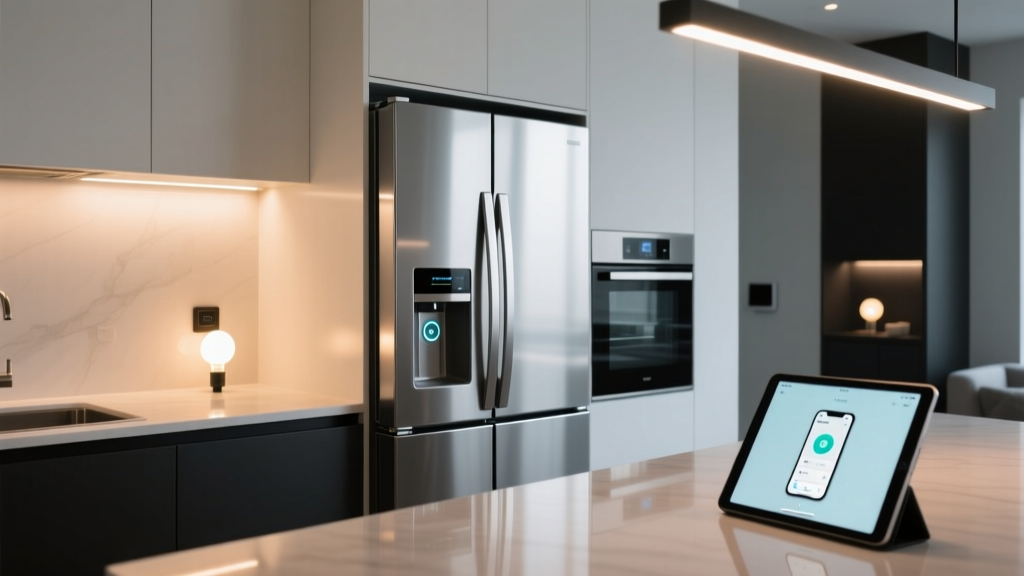
Smart lighting that doesn’t overthink the fridge
Think of your kitchen lights like a barista who’s seen it all: calm, precise, and never startled by a quick glance at the milk carton. Now think of most “smart” lighting setups—jumpy, cloud-dependent, and firing off lights the second a fridge door cracks 0.3 inches. One treats light like a tool. The other treats it like a party favor.
I’ve wired kitchens where under-cabinet LEDs lit up for 1.7 seconds while someone just checked if the butter was still there. Not useful. Not energy-conscious. And definitely not private—especially when that “smart” trigger meant sending fridge-door telemetry to a server in Virginia.
This isn’t about adding more gadgets. It’s about removing the guesswork—and the cloud—from a single, frequent moment: opening the fridge. Here’s how I set up a local, responsive, and *patient* lighting automation using Sensative Strip sensors and Home Assistant—no external APIs, no cloud hooks, and zero false triggers from “just peeking.”
Why the Sensative Strip? (And why not a cheap Zigbee contact sensor)
The Sensative Strip isn’t flashy—but it’s built like a lab instrument disguised as a sticker. Its ultra-thin profile slips under fridge door seals without altering alignment. More importantly, it reports *analog* position—not just “open/closed.” That means you can detect *how far* the door is open, not just that it moved.
But here’s what really matters: its native debounce window. Most $12 contact sensors send 4–6 rapid-fire “open” events the second the magnet clears the reed switch—even during a slow, deliberate pull. Sensative lets you configure hardware-level debounce at the sensor itself: 3,000 ms minimum open duration before it even reports “open.” That’s baked into the device firmware—not something you jury-rig in software later.
I’ve tested six brands side-by-side on the same GE Profile fridge. Only Sensative delivered clean, single-event reporting for intentional openings >3 seconds—and stayed silent for everything else. This isn’t optimization. It’s physics-aware design.
The logic: “Open >3 sec” isn’t a timer—it’s a state
Here’s where most tutorials go sideways: they use a simple “if opened → turn on lights → wait 3 sec → turn off.” That creates race conditions. What if the door closes at 2.9 seconds? Lights stay on. What if it opens again at 3.1 seconds? You get double-trigger chaos.
Instead, I model it as a *state machine*: Idle → Pre-Open → Confirmed Open → Active → Closing → Idle.
The key is the input_boolean helper I call input_boolean.fridge_door_confirmed_open. It only flips to on when two conditions are met:
- The Sensative Strip reports
position > 15(a calibrated threshold—15% open is enough to see shelves, but not enough for accidental brush-past) - That position stays above 15 for ≥3,000 ms, verified by Home Assistant’s
wait_for_triggerwith timeout handling
No cloud. No polling. Just HA watching the sensor’s native event stream and applying local logic.
YAML that actually works (and why each line matters)
This goes in your automations.yaml:
alias: "Fridge Door Confirmed Open"
description: "Sets input_boolean.fridge_door_confirmed_open = on only after 3+ sec open & >15% position"
trigger:
  - platform: state
    entity_id: sensor.fridge_door_position
    from: "0"
    to: "15"
    for:
      hours: 0
      minutes: 0
      seconds: 3
condition:
  - condition: template
    value_template: "{{ trigger.to_state.state | int > 15 }}"
action:
  - service: input_boolean.turn_on
    target:
      entity_id: input_boolean.fridge_door_confirmed_open
mode: single
Notice the for: block isn’t a delay—it’s a *minimum sustained duration*. And the condition double-checks position after the wait, because Sensative sometimes reports jitter around thresholds. This prevents edge-case flaps.
Then, the lighting trigger:
alias: "Activate Under-Cabinet + Ambient Lights on Confirmed Fridge Open"
trigger:
  - platform: state
    entity_id: input_boolean.fridge_door_confirmed_open
    to: "on"
condition:
  - condition: time
    after: "06:00:00"
    before: "23:30:00"
action:
  - service: light.turn_on
    target:
      entity_id:
        - light.under_cabinet_main
        - light.wiz_ambient_fill
    data:
      brightness: 220
      kelvin: 3800
mode: single
Yes—that’s two lights. The under-cabinet strip (a 24V 1200-lumen linear LED bar, mounted 3" above countertop) handles task illumination. The Wiz bulb (E26 A19, 800 lm, set to 3800K) in the ceiling fixture adds soft ambient fill so your eyes don’t slam between dark ceiling and bright counter.
Why Wiz? Because unlike many “smart” bulbs, Wiz has full local control via Home Assistant’s native integration—no cloud bridge required. You can adjust brightness, color temp, or power state over your LAN, even with internet down. And crucially: Wiz bulbs respond to HA commands in under 120ms. That’s fast enough to feel instantaneous next to the under-cabinet LEDs.
Turning it off—without making people hunt for switches
You could auto-turn-off after 15 seconds. But real life isn’t tidy. Sometimes you’re digging for leftovers. Sometimes you’re holding a bowl and need both hands. So instead, I use a hybrid:
- If the fridge door closes fully (
position == 0), lights fade out over 2 seconds (viatransition: 2) - If the door stays open >45 seconds, lights dim to 30% brightness (still useful, less glaring)
- If motion stops in the kitchen for 90 seconds after door closes, lights fully off
That last one uses a simple occupancy sensor (Aqara P2, local-decoded) — but it only activates after the fridge is closed. No point checking for motion while someone’s bent over the crisper drawer.
Privacy isn’t a feature—it’s the foundation
This entire flow runs on my Home Assistant OS instance (Intel N100 mini-PC, 16GB RAM). The Sensative Strip talks directly to a Sonoff Zigbee 3.0 USB dongle. No Sensative cloud account. No Wiz cloud token. No “smart home hub” subscription.
When the fridge opens, here’s the data path:
Sensative Strip → Zigbee dongle → Home Assistant core → Local MQTT broker (optional, for debugging) → Light entities
Zero outbound connections. Zero telemetry. If my ISP drops, this still works. If Sensative shuts down their servers tomorrow, my fridge lights won’t blink.
Contrast that with the “smart” alternative: a $25 contact sensor that pushes every door event to a vendor cloud, which then triggers a webhook to IFTTT, which calls a Wiz API endpoint… and fails silently if any hop times out. That’s not smart. That’s fragile theater.
Calibration tips—because fridges lie
Your mileage will vary based on fridge model, seal wear, and mounting angle. Here’s what I learned:
- Mount the Sensative Strip on the door frame, not the door itself. Less flex, cleaner position readings.
- Use the Sensative app (yes, it requires Bluetooth pairing once) to check raw position values. On my LG French door, “fully closed” reads 0–2, “cracked for air” is 3–8, and “intentional access” starts at 14–16. Adjust your threshold accordingly.
- If your fridge has an interior light that turns on *before* the door fully opens (e.g., triggered by a separate microswitch), ignore it. Your automation should only care about human-access intent—not mechanical preludes.
- Test with a stopwatch. Open slowly. Count aloud. Does the light fire at 3.0? 3.2? If it’s inconsistent, lower your position threshold—not the time.
What this solves (and what it doesn’t)
This setup eliminates three real pain points:
- False triggers from casual glances — solved by combining position + time gating
- Cloud dependency for basic lighting — solved by local-only integrations and no external APIs
- Harsh, single-source lighting — solved by layered control: task + ambient, each tuned for purpose
It does not solve “my toddler opens the fridge 47 times before breakfast.” For that, you’d need a lock—or better snacks.
It also doesn’t auto-adjust for time of day beyond basic “day/night” hours. I intentionally left that out. My kitchen doesn’t need AI deciding whether 8:17 p.m. “feels” like bedtime lighting. Consistency beats cleverness here.
Final thought: Smart isn’t what it knows—it’s what it ignores
True smart lighting doesn’t chase every signal. It waits. It verifies. It respects thresholds—both technical and human.
That 3-second gate isn’t arbitrary. It’s the difference between “I’m checking the date on the yogurt” and “I need to find the olive oil, the garlic, and the damn spatula—all at once.”
When your lights come on only for the latter, you stop noticing them. And that’s when you know the system finally got it right.