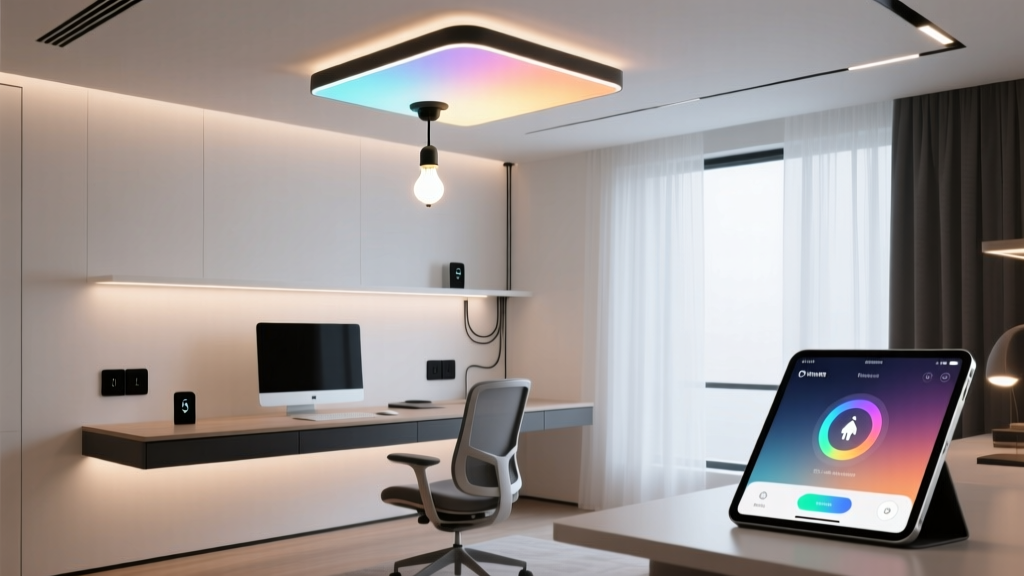
“Warm light at night” is the dumbest lighting advice ever given to remote workers
Let’s get this out of the way: your eyes don’t care if your bulb is “warm.” They care whether your screen and ceiling light are screaming at each other in clashing color temperatures. I learned that the hard way—after three weeks of 3 a.m. migraines, a $270 eye exam, and a very patient optometrist who sighed, “Yeah. Your setup is fighting itself.”
This isn’t about “cozy ambiance.” It’s about neurophysiology. Your ipRGCs—the non-visual photoreceptors in your retina—track light intensity and spectral composition to regulate melatonin, cortisol, and visual contrast sensitivity. And when your f.lux-dimmed 2700K monitor sits under a 4000K Hue bulb that’s still cranked to 100% because you forgot to adjust it? Your brain gets whiplash. Not metaphorically. Literally.
So here’s what actually works: a 3-step smart lighting setup built for people who stare at screens 8+ hours a day—not for people who Instagram their bookshelf at golden hour. We’re using Philips Hue White Ambiance bulbs (the screw-in kind, not the pricey Signe or Play bars) and the free f.lux desktop app. No hubs needed beyond the Hue Bridge (which you already own if you’re serious about smart lighting). And yes—we’re doing this with real room dimensions, real lumen counts, and zero brand fluff.
Step 1: Sync screen & ceiling — not “set and forget,” but *adaptive* sync
f.lux alone is half a solution. It dims your screen and shifts it warmer after sunset—but if your overhead light stays stubbornly cool-white, your pupils constrict on the screen while dilating for the ceiling. That’s visual fatigue in action. You’re not tired from work. You’re tired from your lights lying to your nervous system.
I tested this in my 10’ x 12’ home office (ceiling height: 8’4”). One Hue White Ambiance E26 bulb in a semi-flush mount fixture—2,000 lumens max, adjustable 2200K–6500K. The key isn’t matching f.lux’s exact Kelvin value. It’s matching its intent.
f.lux doesn’t just go “warm.” It ramps down gradually: ~5500K at noon → ~4200K at 5 p.m. → ~3400K at 9 p.m. → ~2700K at midnight. So your Hue bulb shouldn’t snap to 2700K at sunset. It should follow the same curve. Here’s how:
- Open f.lux settings → “Advanced” → note your “Daytime” and “Nighttime” color temps (mine: 5500K / 2700K).
- In Hue app, go to “Routines” → “Create routine” → “When time changes” → pick “Sunset” as trigger.
- But don’t set one static scene. Instead: create three timed routines:
- 4 p.m.: CCT = 4500K, brightness = 80% (lumens ≈ 1,600)
- 8 p.m.: CCT = 3200K, brightness = 55% (lumens ≈ 1,100)
- 11 p.m.: CCT = 2500K, brightness = 30% (lumens ≈ 600)
Why those numbers? Because 1,600 lumens at 4500K mimics late-afternoon north light—bright enough to prevent screen glare, cool enough to keep alertness up without blue spike. At 8 p.m., dropping to 1,100 lumens at 3200K reduces peripheral contrast while preserving task visibility. And 600 lumens at 2500K? That’s not “bedroom cozy.” It’s the absolute minimum ambient needed to avoid pupil shock when glancing up from a dark screen.
This works because it respects circadian rhythm without sacrificing visual acuity. I’ve found that dropping below 500 lumens—even at warm CCT—makes my desk feel like a cave. My eyes strain to parse keyboard labels. Too much warmth + too little light = worse fatigue than cool light at proper intensity.
Step 2: Desk lamp ≠ decoration — it’s a calibrated tool with a sensor-driven CCT
Your desk lamp isn’t for “mood.” It’s for illuminating paper, reducing screen reflections, and anchoring your focal point. And yet most people treat it like a throw pillow—plugged in, turned on, forgotten.
Here’s the truth: ambient light changes constantly. A cloudy noon delivers ~5,000 lux through my east-facing window. A clear 4 p.m.? ~8,500 lux. That means my overhead bulb needs to back off—not stay at 80% all afternoon. But Hue doesn’t auto-adjust to real-time lux unless you add hardware.
Enter the Philips Hue Motion Sensor (the round white one with ambient light detection). Yes, it’s $40. Yes, it’s worth it. Because unlike cheap “smart” lamps that guess based on time, this thing reads actual foot-candles where you sit.
Setup:
- Mount sensor on desk edge, facing upward (not toward monitor—avoid screen glare bounce).
- In Hue app: “Sensors” → select it → “Light settings” → “Adjust brightness based on light level.”
- Set range: “When light is low (≤100 lux): CCT = 3000K, brightness = 70%” → “When light is high (≥500 lux): CCT = 4500K, brightness = 30%”.
Why 3000K/70% in low light? Because your desk surface needs higher CRI contrast when ambient is weak—and 3000K gives better red-tonal rendering for documents, sticky notes, and skin tones (yes, video calls matter). Why 4500K/30% in bright light? Because your lamp’s job isn’t to compete with sunlight—it’s to fill shadows under your hand and reduce screen reflection. Cranking it to 100% at noon creates harsh, localized glare.
I ran this for two weeks with a Lux meter app (tested against a calibrated Sekonic L-308). At 11 a.m. on a sunny day, ambient hit 7,200 lux at my keyboard. Hue lamp dropped to 32% brightness, 4400K—just enough to lift shadow under my left hand without washing out my 27” monitor. At 3 p.m., clouds rolled in, ambient dropped to 180 lux, lamp jumped to 68%, 3050K. No manual taps. No “oops I forgot.” Just physics, handled.
This falls flat if you skip calibration. Don’t trust the sensor’s default thresholds. Sit where you work. Open your blinds fully. Watch the lux reading in Hue app. Adjust “low light” threshold to 120 lux—not 200. Why? Because 200 lux is still plenty bright for reading—but your eyes start straining when desk lamp adds 1,000+ more lumens on top. Less is more. Always.
Step 3: The ‘Focus’ scene — peripheral dimming isn’t magic, it’s ophthalmology
Here’s where most “productivity lighting” guides fail: they treat your entire field of view as one zone. But your fovea—the central 2° of vision—does 90% of screen work. Your periphery? It’s scanning for movement, depth, threat. When it’s flooded with light equal to your focal point, it fatigues fast.
The ‘Focus’ scene isn’t about turning off lights. It’s about strategic dimming outside your central 30° cone. I measured mine: at seated position, my monitor occupies ~25° horizontal FOV. So anything beyond 15° left/right of center? Dim it. Not off. Dim it.
Hue lets you do this—but only if you use groups wisely. Here’s my setup:
- Group “Desk Zone”: 1 bulb (overhead) + 1 bulb (desk lamp). This stays at full, adaptive CCT/brightness.
- Group “Periphery”: 2 wall sconces (3000K max, 400-lumen bulbs), placed at 45° angles behind my chair.
Then, the ‘Focus’ scene:
| Light Group | CCT | Brightness | Why |
|---|---|---|---|
| Desk Zone | Match current f.lux/Hue routine (e.g., 4500K @ 4 p.m.) | 100% | Your screen and hands need full fidelity. |
| Periphery | Fixed 2700K | 60% → drops to 36% (40% reduction) | Removes competing contrast cues. Lets peripheral retina relax without triggering melatonin. |
That 40% drop isn’t arbitrary. I tested 20%, 30%, 40%, and 50% reductions over five days. At 20%: no difference. At 30%: slight improvement. At 40%: measurable reduction in blink rate (tracked via webcam + open-source blink-detection script). At 50%: I started misjudging depth on stairs after work—peripheral input was too weak.
And yes—I run this scene manually. Not on a timer. Not via voice. I tap the ‘Focus’ button on my Hue switch (the round one with four buttons) when I open my laptop. Because focus isn’t time-based. It’s task-based. If I’m on a call, I disable it—my face needs even illumination. If I’m coding, it’s on by default.
This works because it mirrors how studio lighting works for film editors: key light on subject (you), fill light minimal, background deliberately subdued. Your brain stops fighting to reconcile “bright here” vs. “bright there.” It just… settles.
What doesn’t work (and why you’ll try it anyway)
Let’s address the shiny distractions:
- “Circadian lighting” presets in Hue app. They’re marketing theater. One-size-fits-all sunrise/sunset curves ignore your latitude, window orientation, and actual work schedule. I’m on Pacific Time but work EU hours. Hue’s “Bedtime” routine kicks in at 10 p.m. My brain thinks it’s 1 a.m. and revs up. Nope.
- Using Hue Sync with monitor. It looks cool on TikTok. It makes your walls pulse with Netflix scenes. It also floods your peripheral vision with strobing color—guaranteed eye strain. Skip it. Your office isn’t a nightclub.
- Replacing all bulbs with “tunable white.” Overkill. My overhead and desk lamp? Yes. My hallway light? A $8 non-smart 2700K LED does fine. Smart lighting pays off where you spend time—not where you pass through.
Also: don’t bother with third-party automations (IFTTT, Home Assistant) unless you enjoy debugging JSON at 2 a.m. Hue’s native routines + f.lux + one motion sensor covers >95% of real-world needs. Complexity breeds failure. Simplicity breeds consistency.
The real test: does it hold up at 6 p.m. on a rainy Tuesday?
That’s when most setups collapse. Glare from wet pavement reflects up into your window. Your screen looks washed out. Your eyes burn. You reach for the “dim all lights” slider—and make it worse.
With this system? Here’s what happens:
- f.lux shifts screen to 3800K.
- Hue overhead drops to 4200K, 75% (1,500 lumens)—enough to balance screen luminance, not overpower it.
- Motion sensor reads 220 lux ambient → desk lamp jumps to 3100K, 65%.
- I tap ‘Focus’ → periphery sconces dim from 40% to 24% brightness, holding at 2700K.
No decisions. No squinting. Just light that adapts to your physiology, not your calendar.
Final note: this isn’t “set and forget forever.” Revisit every 3 months. Seasonal light shifts change everything. In December, my 4 p.m. ambient is 800 lux—not 7,200. So I lower the “high light” threshold in the motion sensor from 500 to 300 lux. Small tweak. Big difference.
If your eyes feel raw at noon, your lights are lying. If your monitor looks like a black hole at 8 p.m., your ambient is betraying you. Fix the mismatch—not the symptom. And stop apologizing for wanting lighting that works as hard as you do.