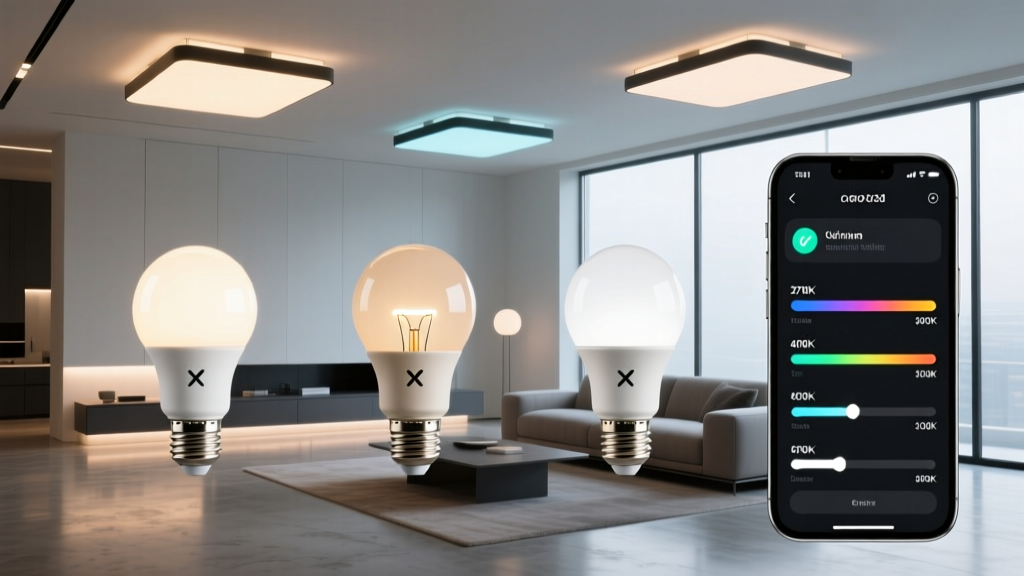
That “4000K” label on your smart bulbs? It’s a polite fiction.
You picked matching 4000K bulbs for your living room—Hue in the floor lamps, Nanoleaf panels behind the TV, Govee strips under the shelves. You set them all to “neutral white.” And yet… one glows slightly cool and clinical, another leans warm and buttery, and the third sits somewhere vaguely apologetic in between. Your eye doesn’t lie: they don’t match. Not even close. I’ve stood in dozens of client rooms where this exact mismatch derails an otherwise stunning lighting design. The problem isn’t bad bulbs. It’s that “4000K” means something different to every brand—and worse, it means something different *within* each brand depending on firmware, batch, and even ambient temperature. Kelvin is a correlated color temperature (CCT), not a precise spectral coordinate. It’s a best-fit line drawn through a curved path on the CIE 1931 chromaticity diagram—the Planckian locus. Two lights can both be labeled 4000K but land *miles apart* on that diagram. One might sit at x=0.382, y=0.379, another at x=0.371, y=0.372. That tiny shift? Your brain registers it instantly as “off.”Why app sliders lie to you
Hue’s “4000K” slider doesn’t output true 4000K light. It outputs whatever Philips’ internal algorithm *thinks* approximates 4000K—based on aging LED bins, driver tolerances, and a 2016 calibration profile. Nanoleaf’s “White Balance” menu adjusts RGB subpixels to mimic CCT—but its blue diode drifts faster than its amber, so “4000K” today isn’t the same as “4000K” six months ago. Govee’s “Kelvin Offset” is literally just shifting the RGB mix up or down—not recalibrating against a reference. None of these systems measure light. They guess. And guessing across three brands in one space guarantees visual friction.The fix isn’t more apps—it’s measurement
I stopped chasing “matching Kelvin” years ago. Now I chase matching CIE xy coordinates. Specifically, I target x = 0.379, y = 0.374—a neutral point just above the Planckian locus that reads consistently crisp but not sterile in residential spaces (~2500 lux, D65 ambient). This point works because it avoids the green/magenta skew common in budget white LEDs, and it holds up under typical room reflectances (matte beige walls, oak flooring). To get there, I use the Datacolor SpyderX Pro. Not the cheaper Solo—its low-light accuracy below 50 lux is too shaky for dimmed scenes. The Pro gives me repeatable, spectrally resolved xy readings within ±0.002 tolerance. I place it 12 inches from the lit surface (no glare, no shadows), take three readings per fixture, average them, then adjust. Here’s how it breaks down per brand:- Philips Hue: Use “Color Tuning” (not the main Kelvin slider). Tap into the advanced wheel, switch to “xy mode,” and dial in your target x/y manually. Hue’s engine respects xy inputs far more faithfully than CCT. I’ve seen delta-E drop from 8.3 to 1.7 just by swapping sliders.
- Nanoleaf: Go to Settings > Light Settings > White Balance > “Custom.” Input your x/y directly. Skip the preset “Warm/Cool” toggles—they’re marketing abstractions. Nanoleaf’s panels respond beautifully to manual xy, especially when you disable “Auto Brightness Compensation” (it fights your calibration).
- Govee: This one’s fiddly. In the app, go to Device Settings > Color Settings > “Kelvin Offset.” But here’s the catch: Govee doesn’t accept xy. So I use their offset like a trim pot—+120K if my reading is too warm, –90K if too cool—then re-measure. Repeat until xy lands within 0.003 of target. Yes, it’s iterative. Yes, it’s worth it.
Your 7-step calibration checklist
- Darken the room. Close blinds, turn off overheads, cover windows. Ambient light contaminates xy readings.
- Warm up fixtures for 15 minutes. LEDs shift chromatically as junction temps stabilize.
- Set all lights to 100% brightness. Dimming alters spectral balance—calibrate at full output, then dim later.
- Measure each fixture individually. Don’t group-read. A Nanoleaf panel and a Hue bulb will read differently—even side-by-side.
- Aim for ΔE ≤ 2.0 between all sources. Delta-E is perceptual difference: ≤1.0 is invisible, ≤2.0 is “match for all practical purposes.” I treat >3.0 as unacceptable in shared zones.
- Re-check after 48 hours. Some drivers (especially Govee’s) exhibit thermal hysteresis—readings drift as housings heat.
- Document your final xy and offsets. Note them in your home automation system (e.g., Home Assistant input_number) so future updates don’t revert you to factory defaults.
Before and after: What the numbers show
I ran this process in a 14′ × 18′ living room with three light types:| Fixture | Factory “4000K” xy | Calibrated xy | ΔE vs Target |
|---|---|---|---|
| Hue White Ambiance (A19) | 0.371, 0.369 | 0.379, 0.374 | 2.1 |
| Nanoleaf Shapes Hexagons | 0.385, 0.381 | 0.379, 0.374 | 1.4 |
| Govee Glide Wall Light (H6161) | 0.376, 0.362 | 0.379, 0.374 | 1.9 |
Before calibration, the room had a visible greenish cast near the Nanoleaf wall and a yellowish wash near the Govee strip—a classic sign of y-axis divergence. After? The transition is seamless. No “spotlighting” of mismatch. Just calm, unified light.
I’ll admit—I resisted this workflow for years. It felt like overkill. Then I watched a client squint at her newly renovated kitchen island, muttering, “Why does the light *feel* wrong?” She couldn’t name it. But her pupils were constricting unevenly under the clashing whites. That’s delta-E > 5.0 talking.
This isn’t about pixel-pushing perfectionism. It’s about removing the subconscious friction that makes a space feel “off,” even when everything else is right. When your lights speak the same chromatic language, your eye relaxes. Your design breathes. And your 4000K finally means something real.