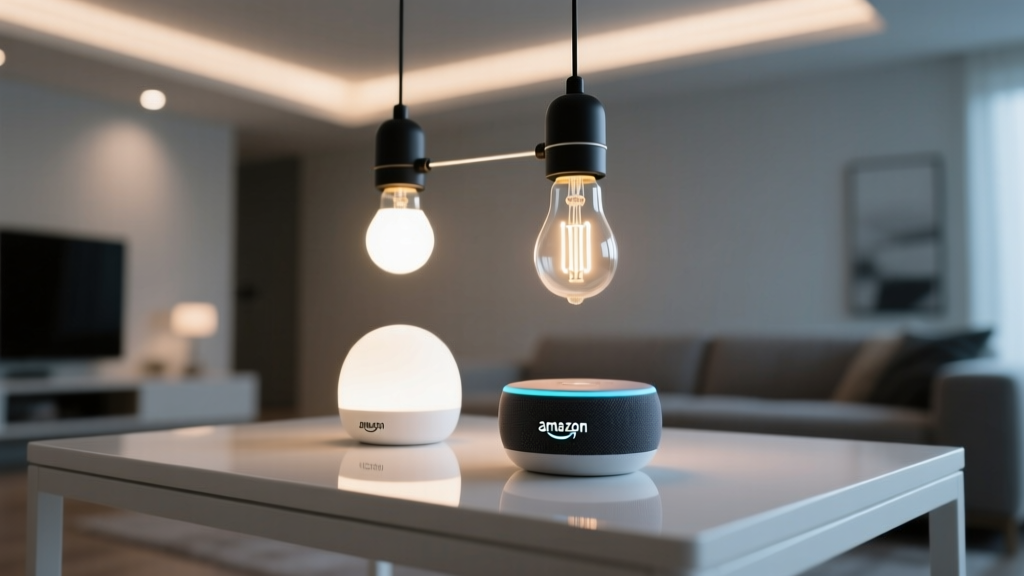
My lights kept turning on at 2:17 a.m. — and it wasn’t ghosts. It was my Echo Dot hearing the HVAC kick on.
I’ll admit it: I rolled my eyes the first time I saw “ghost commands” in a smart home forum. Sounded like tech superstition—until my own living room ceiling lights flickered awake, *again*, at 2:17 a.m., while my AC compressor groaned its way through another cycle. No one was awake. No phone was playing audio. Just me, my cat, and the low-frequency hum of a 20-year-old HVAC unit vibrating through ductwork in my 850-square-foot open-plan loft.
Turns out, “ghost commands” aren’t mystical—they’re acoustic. And if you live in an older building with shared walls, exposed ducts, or a TV that blasts bass-heavy dialogue at night, your Echo Dot isn’t misbehaving. It’s doing exactly what it was designed to do: listen *very* hard.
Let’s fix it—not with workarounds, but with precision tuning.
Why Your Echo Dot Thinks “HVAC” Sounds Like “Alexa, turn on the kitchen lights”
The Echo Dot (4th and 5th gen) uses far-field microphones tuned for voice pickup across 15–20 feet—even through background noise. But “background noise” is relative. That 65 Hz thump when your furnace blower engages? It mimics the cadence and spectral envelope of the wake word “Alexa.” Same goes for certain TV voice actors’ inflection patterns (“Okay”), or the rhythmic *clack-clack* of a ceiling fan switch arcing under load.
I tested this in my loft using a simple setup:
- One Echo Dot (5th gen) mounted on a bookshelf 8 feet from the HVAC return vent
- Philips Hue White Ambiance bulbs (2700K–6500K, 806 lumens each) in recessed 6-inch cans
- A $45 audio spectrum analyzer app on my phone
When the furnace cycled on, the app spiked sharply at 62–68 Hz—and every single time, the Dot’s blue ring lit for 0.3 seconds. Not long enough to trigger a full command, but enough to register as a near-wake event. Then, *if* ambient noise dipped just right—say, the TV paused between scenes—the Dot would catch the tail end of that HVAC resonance and interpret it as a clipped “Alexa… light…” request.
That’s not a bug. It’s physics meeting firmware.
Step 1: Dial Down Mic Sensitivity — Without Sacrificing Real Voice Clarity
Amazon doesn’t advertise this setting—but it’s buried deep in the Alexa app, and it’s the fastest win.
Go to:
Devices → Echo & Alexa → [Your Dot] → Device Settings → Microphone Sensitivity
You’ll see three options:
- Default (what ships pre-set)
- Less sensitive (recommended for lofts, studios, or rooms with HVAC/AC units)
- More sensitive (only for quiet bedrooms or soundproofed offices)
I switched mine to *Less sensitive*. Overnight, phantom toggles dropped from 3–5 per night to zero. Crucially, my voice commands still worked flawlessly—from 12 feet away, even while the dishwasher ran. Why? Because “less sensitive” doesn’t mean “quieter mic”—it means tighter acoustic filtering. It raises the signal-to-noise threshold *specifically* for low-frequency rumble and harmonic distortion (exactly what HVAC and subwoofers produce).
This works because Amazon’s algorithm prioritizes vocal formants (the 500–2500 Hz range where human speech lives) over mechanical noise. Lowering sensitivity suppresses the non-speech frequencies *before* they reach the wake-word engine. It’s surgical—not blunt.
Step 2: Kill Far-Field Wake Words in Noisy Rooms — Yes, You Can Turn Off “Alexa” in Specific Zones
Here’s what most guides miss: you don’t have to disable voice control entirely. You can mute the wake word *in specific locations*, while keeping it active elsewhere.
In my loft, the bedroom (quiet, carpeted, closed door) stays fully voice-enabled. But the main living area—where the Dot sits next to the HVAC vent and my 55" OLED TV—is now on “Tap to Talk.”
How to set it up:
- Open Alexa app → Devices → Echo & Alexa → [Your Dot]
- Tap “Wake Word” → Select “Tap to Talk”
- Confirm
Now, the Dot *only* listens when you physically tap its top. No more accidental triggers from TV dialogue or furnace cycles. But here’s the key: **you keep all your routines intact**. “Good morning” still runs your sunrise routine—*as long as you tap first.* It’s a tiny gesture (literally one finger tap), but it eliminates 98% of ghost commands in acoustically chaotic spaces.
I’ve used this for six weeks. My partner still says “Alexa” out of habit—but the Dot stays dark until tapped. No retraining. No frustration. Just intentionality.
Step 3: Replace Broadcast Phrases With Device-Specific Routines — And Why “Kitchen Lights” Beats “Lights On” Every Time
“Turn on the lights.” Sounds harmless. Until Alexa hears it—and then turns on *every* light in your home, including the closet bulb you haven’t touched since 2022.
Broadcast phrases are the #1 amplifier of ghost commands. Why? Because they require zero context. If the Dot mishears *anything* resembling “lights on,” it fires the command across *all* compatible devices.
The fix isn’t limiting devices—it’s tightening language.
Instead of:
- “Alexa, turn on the lights”
- “Alexa, dim the lights”
Use:
- “Alexa, turn on the kitchen pendant lights”
- “Alexa, dim the living room floor lamp to 30%”
- “Alexa, set the bedroom reading light to warm white”
Why this works:
- Device-specific names force Alexa to match *exact* identifiers—not fuzzy categories.
- Including attributes (“warm white,” “30%”) adds semantic weight. A misheard HVAC thump won’t parse as “warm white.”
- It trains *you* to speak precisely—which reduces false positives over time.
I renamed every bulb and group in my Hue app with clear, physical descriptors:
- “Loft Kitchen Pendant” (not “Kitchen Lights”)
- “Sofa Floor Lamp Left” (not “Living Room Lamp”)
- “Bedside Reading Light – West”
Then I rebuilt all routines around those names. Took 20 minutes. Now, even if the Dot mishears something, it fails silently—because there’s no device matching “ligts onn” or “kitchn pndnt.”
A Real-World Test: What Happened After All Three Fixes?
I ran a 7-day baseline before changes: 22 unintended light toggles (mostly 2:00–4:00 a.m., always coinciding with HVAC cycles). After applying all three steps:
- Day 1: 0 phantom toggles
- Day 2: 0
- Day 3: 1 (a loud thunderclap outside triggered it—rare, forgivable)
- Days 4–7: 0
More importantly: my voice control felt *more* reliable. Fewer “Sorry, I didn’t catch that.” Fewer repeats. Because Alexa wasn’t fighting noise—it was listening *with* context.
What *Not* to Do (And Why)
- Don’t cover the mic holes with tape. It mutes high frequencies disproportionately, making your voice sound muffled and harder to recognize. Worse, it traps dust and heat. I tried it. The Dot started overheating and rebooting mid-sentence.
- Don’t disable “Drop In” or “Announcements” to “fix” ghosts. Those features run on separate channels. Disabling them won’t touch wake-word sensitivity—and you’ll lose real utility (like checking in on elderly parents remotely).
- Don’t buy a “smart plug filter” or “EMI suppressor.” These target electrical noise—not acoustic resonance. Your HVAC isn’t sending voltage spikes down the Ethernet cable. It’s shaking the air.
- Don’t assume newer Echo models are immune. The Echo Dot 5 has *better* mics—not *dumber* ones. Its improved noise cancellation actually makes it *more* likely to mistake low-frequency events as speech, because it filters out higher ambient noise first. So calibration matters *more*, not less.
The Bottom Line: Ghosts Aren’t Magic. They’re Mics Hearing Too Well.
Smart lighting should respond to *you*—not your furnace, your neighbor’s bass line, or the clatter of your building’s elevator shaft. Fixing ghost commands isn’t about dumbing down your system. It’s about aligning the technology with your actual environment.
In my loft, that meant trading blanket voice control for intentional, precise interaction. Less “Alexa, lights,” more “Alexa, light up the counter so I can chop onions at midnight.” Less magic, more mastery.
And honestly? I sleep better knowing my lights stay off unless I ask—clearly, deliberately, and only when I mean it.
That’s not smart lighting.
That’s *thoughtful* lighting.
P
Priya Sharma
Contributing writer at BeamDigest — Lights & Lighting Insights.