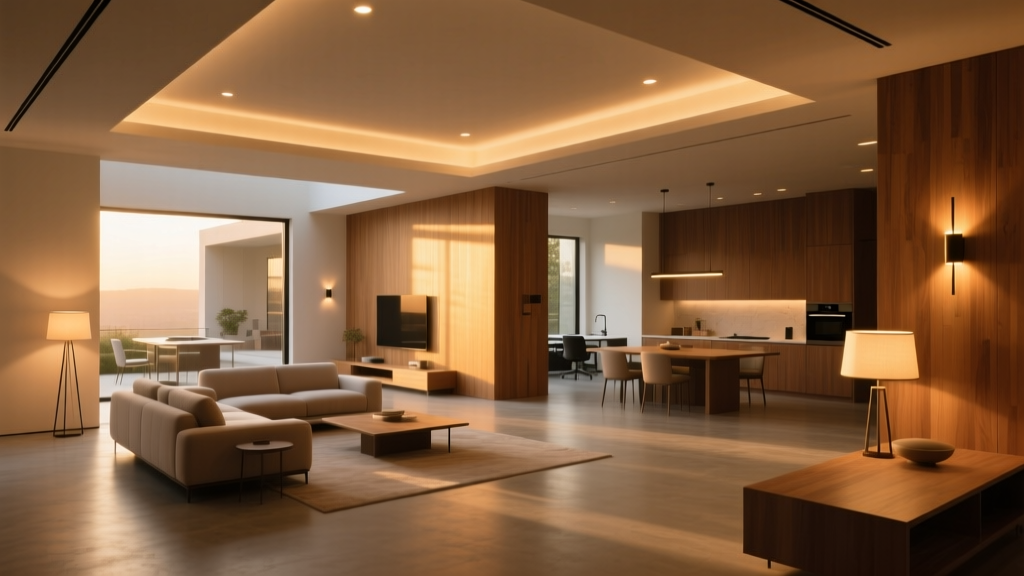
Open-Plan Living-Dining-Kitchen Layering: Zoned Dimming with Occupancy Sensors and Scene Recall
I once watched a client dim the entire 500-sq-ft open-plan space—living, dining, and kitchen—just to find her reading glasses on the sofa. She’d installed one master dimmer on the main circuit. The pendant over the dining table plunged into near-darkness. The under-cabinet LEDs in the kitchen blinked off mid-coffee pour. She sighed, pulled out her phone, and tapped three separate app buttons just to restore ambient light. That’s not smart lighting. That’s surrender.
The popular take? “Just use smart bulbs and an app.” Or worse: “Pick one color temp and stick with it.” I’ve heard both repeated at trade shows, in builder spec sheets, even from well-meaning electricians. But here’s what those takes ignore: human behavior isn’t uniform across zones—and neither is task demand. You don’t need 500 lux to scroll Instagram on the sofa, but you *do* need it to dice onions without losing a fingertip. You don’t want dining-table warmth bleeding into your food-prep zone like a fog machine gone rogue. And you absolutely shouldn’t have to choose between “cozy” and “functional” every time someone walks into the room.
This setup isn’t about convenience. It’s about choreography—light moving with intention, not inertia.
The Core Idea: Three Zones, One System, Zero Manual Switches
We’re using Lutron Homeworks QS—not Caséta, not RA2 Select. Why? Because QS handles true load balancing, native occupancy integration (no bridging), and hardwired scene recall that survives Wi-Fi dropouts. This isn’t plug-and-play. It’s architecture-grade lighting control, and it earns its weight.
The space: 500 sq ft, L-shaped. Living zone (18’ × 14’) anchors the south end, defined by a low media wall and floating shelf. Dining zone (10’ × 12’) sits centrally, beneath a linear suspension fixture. Kitchen (12’ × 10’) runs west, with island, perimeter cabinets, and pantry. Ceilings are 9’–10’, flat drywall—no beams or soffits to hide wires, so topology matters.
Zones aren’t arbitrary. They’re drawn where behavior shifts: • Living: seated relaxation, screen viewing, occasional reading → 2700K, 150 lux max at seating plane • Dining: social gathering, visual focus on table surface → 3000K, 300 lux at tabletop • Kitchen: prep, cooking, cleaning → 4000K, 500 lux at counter height
Note: These aren’t “mood settings.” They’re photometric targets—measured, repeatable, calibrated. I specify them in foot-candles during commissioning (150 lux ≈ 14 fc, 300 lux ≈ 28 fc, 500 lux ≈ 46 fc). And yes—we verify with a Sekonic C-700. If it’s not measured, it’s not designed.
How Occupancy Triggers Zone-Specific Ambient Dimming
Each zone gets its own Lutron Pico wireless occupancy sensor—mounted at 7’ AFF, aimed across the primary activity area, not down at the floor. Why wireless? Because in retrofit builds, running new low-voltage cable through finished walls kills timelines and budgets. But here’s what most miss: sensor placement isn’t about coverage—it’s about intent.
- Living zone: Sensor mounted above the sofa, angled toward the entry arch—not the TV wall. Why? Because ambient light should rise when someone enters to sit, not when they walk past to get water. We set the timeout to 12 minutes (long enough for commercial breaks, short enough to avoid ghost-lighting after bedtime).
- Dining zone: Sensor mounted on the ceiling beam above the table’s long axis, field-of-view clipped to exclude the kitchen pass-through. We don’t want dinner prep triggering full-dining brightness. Timeout: 8 minutes—dinner rarely lasts longer than that without active movement.
- Kitchen zone: Two sensors: one over the island (primary), one inside the pantry door frame (secondary). The pantry sensor triggers only counter lights—not overheads—because opening the pantry shouldn’t flood the whole zone. Timeout: 3 minutes. Kitchens demand responsiveness, not patience.
Here’s the critical part: occupancy doesn’t just “turn on” light. It triggers dimmed ambient presets. When the living zone sensor detects motion, it ramps the recessed 2700K LEDs (12× 9W, 900 lm each) from 0% to 35% output—landing precisely at 150 lux at sofa height. No overshoot. No delay. Same for dining: motion → 55% of 3000K pendants (6× 15W, 1400 lm each) → 300 lux at 30” tabletop height. Kitchen: motion → 70% of 4000K linear troffers (4× 24W, 2200 lm each) + 100% of under-cabinet strips (2× 12W, 1100 lm each) → 500 lux at counter plane.
This works because QS allows per-zone ramp rates and fade-to-level logic—not just on/off. And because we programmed hysteresis: if ambient light falls below 120 lux in living while occupancy persists, it nudges up 5%—not a jarring jump, but a breath-like adjustment. Human eyes notice jumps. They accept gradients.
Scene Recall: One-Touch, Multi-Zone, Context-Aware
“Dinner Party” isn’t a mood. It’s a lighting contract.
Press one Pico button (the brass one beside the dining table), and three things happen *simultaneously*, within 0.4 seconds: • Dining zone rises to 100% (3000K, 300 lux) • Kitchen zone drops to 40% overhead + 100% under-cabinet only (4000K, 200 lux at counter, zero at ceiling) • Living zone holds at 25% (2700K, ~100 lux)—enough for conversation, too low to compete with the table’s glow
No app. No voice command. No waiting for cloud sync. This is hardwired scene recall via QS processor—stored locally, executed locally. And it’s reversible: same button reverts all zones to their last occupancy-triggered state.
We built three scenes: • Dinner Party (as above) • Morning Prep: kitchen 100%, dining 20%, living 10% • Movie Night: living 15%, dining 5%, kitchen 0% (except pantry path light)
Scenes override occupancy logic—but only while active. Walk out of the dining zone during Dinner Party mode? After 8 minutes, it auto-fades back to ambient preset. That’s intentional. Scenes serve moments; occupancy serves presence.
Wiring Topology: Why You Can’t Just “Add More Load”
Homeworks QS uses a daisy-chained RS-485 backbone—low-voltage, shielded twisted pair (Belden 9841). But here’s where installers stumble: they run one long loop from processor to last keypad, then tap loads off the backbone. That creates impedance mismatches and signal jitter.
Our topology: • Processor (HWQS-PRO10) mounted in central utility closet • Backbone splits into three dedicated branches—one per zone—using Lutron HWQS-BRANCH splitters • Each branch terminates in a termination resistor (HWQS-TERM) • All keypads, sensors, and dimmers connect *locally* to their zone’s branch, not downstream
Why this matters: signal integrity. At 500 sq ft, voltage drop across 300’ of daisy chain can corrupt scene timing. With branched topology, max run per branch is 65’. Signal stays clean. Commissioning takes half the time.
Load balancing is non-negotiable. We used four Lutron HWQS-6ANS dimmers (6A each, 120V): • Living: 1 dimmer (12× 9W = 108W → 0.9A) • Dining: 1 dimmer (6× 15W = 90W → 0.75A) • Kitchen overhead: 1 dimmer (4× 24W = 96W → 0.8A) • Kitchen under-cabinet + pantry: 1 dimmer (2× 12W + 1× 7W = 31W → 0.26A)
Note: We did *not* put all kitchen loads on one dimmer. Why? Thermal derating. Lutron specs 6A continuous at 40°C ambient. Our kitchen ceiling hits 42°C in summer. Splitting loads keeps each dimmer at <50% capacity—extending life, eliminating buzz, preventing thermal shutdown during roasting season.
What Falls Flat (and Why)
Let’s name what doesn’t work—even with QS:
- Using one occupancy sensor for two zones. I tried it in a test build. A guest walking from kitchen to dining triggered full-brightness in *both*. The dining table glared; the stove hood shadowed the cooktop. Occupancy must be zonal—or it’s just noise.
- Setting color temp via scene only. “Dinner Party” forced 3000K everywhere. But the kitchen counters stayed 3000K—too warm for accurate food prep. We now lock CCT per zone *at the dimmer level*, not the scene. Scenes adjust intensity only. CCT is a zone property, not a scene variable.
- Ignoring vertical light distribution. We added two 2700K wallwashers (12W each) in the living zone—aimed at the media wall—not for brightness, but to lift facial illumination during conversation. Without them, faces went flat under overheads alone. Lux targets mean nothing if light doesn’t land where eyes live.
Commissioning Is Where Theory Becomes Truth
You can spec perfect zones, flawless topology, elegant scenes—and still deliver disappointment if you skip commissioning.
We do three passes: 1. Baseline: Measure lux at each target plane (sofa seat, tabletop, counter) with no occupancy—just manual dimmer input. Adjust driver output curves until targets hit. 2. Occupancy validation: Trigger each sensor 10x. Verify ramp time, final lux, and fade-to-level behavior. If dining hits 312 lux instead of 300? Tweak dimmer curve—not the sensor. 3. Scene stress-test: Activate “D