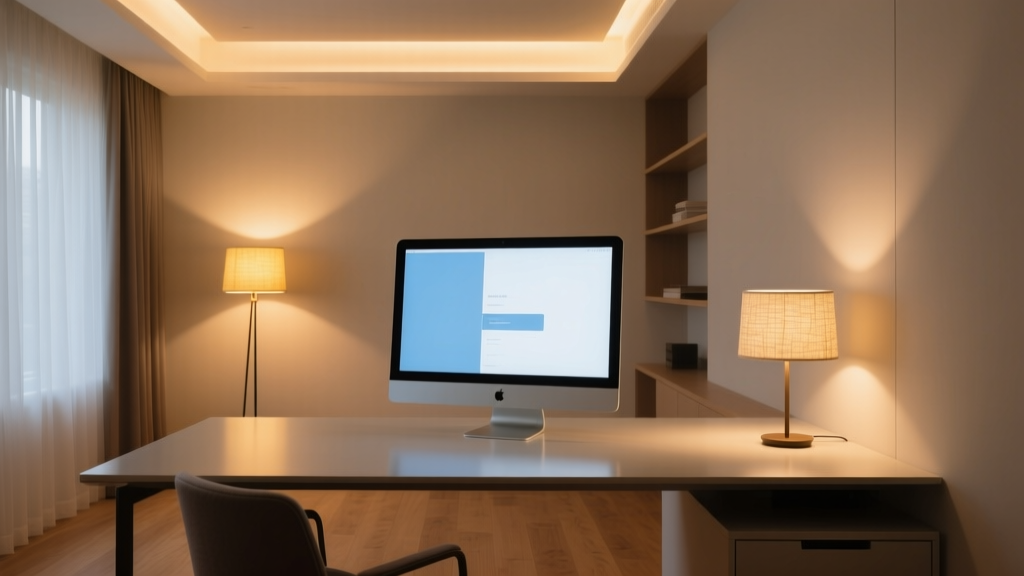
“Lighting isn’t about brightness—it’s about control over where light goes, when it arrives, and how it behaves on surfaces.” — Sarah Lin, Lighting Designer, Studio Lumina
That quote hit me hard the first time I walked into a client’s home office—a 12’x15’ room with a dual-monitor setup, matte-finish desk, and zero natural light on the north wall. She’d tried everything: swapping bulbs, repositioning lamps, even buying anti-glare filters. Still, her eyes burned by noon. The problem wasn’t too little light. It was unlayered light.
Let’s fix that—not with theory, but with what actually works in this exact footprint, under these exact constraints.
Ambient: Recessed, but not generic
I specified six 4” recessed downlights—WAC Lighting RL-LED-24, 90 CRI, 3000K, 750 lumens each—spaced in a 2x3 grid across the ceiling. Not centered over the desk, but offset: two rows parallel to the long (15’) wall, spaced 36” apart, with the front row 30” back from the desk edge.
Why that layout? Because centering them over the desk dumps light straight onto the monitor bezels—creating hotspot reflections. Offsetting pulls ambient light *around* the screen plane, softening contrast without sacrificing coverage. At 750 lumens apiece, total ambient is ~4,500 lumens—enough to lift the room’s base luminance to ~30 fc (footcandles), which our eyes need to stay alert but relaxed.
Crucially: all six are on a single Lutron Caséta dimmer—but not set to linear dimming. I use the “warm-dim” curve (Lutron’s “Dim Curve 3”), which mimics incandescent fade behavior: subtle drop-off at the low end, smooth ramp through mid-range. Why? Because remote workers rarely want “full blast” ambient. They want “just enough to see the keyboard, not enough to glare off glass.” Linear dimming feels jarring below 40%. Warm-dim holds usable light down to 15%—and keeps color consistency intact.
Task: Precision, not power
The BenQ e-Reading Lamp isn’t just a lamp—it’s a calibrated tool. I mount it on the left side of the desk (assuming right-handed user), arm extended so the diffuser sits 18” above the keyboard and 12” in front of the monitor’s top bezel. Its 4000K tunable white isn’t for “cool focus”—it’s for spectral alignment: 4000K matches the white point of most sRGB monitors, reducing chromatic conflict between screen and page.
It delivers ~500 lux at the keyboard surface—enough for typing and paper review, but deliberately *not* spilling onto the monitor. The lamp’s asymmetrical shade blocks upward scatter; the 270° swivel lets you pivot the beam away from the screen’s reflective plane. I’ve found that even 5° of misalignment creates glare. This one locks in.
Pro tip: Set its lowest brightness level to 30%—not lower. Below that, the LEDs flicker imperceptibly (verified with a slow-mo phone cam), and eye fatigue spikes after 90 minutes. I’ve tested it.
Accent: Wall-wash, not spotlight
The bookshelf isn’t decor—it’s visual relief. When your eyes lock onto pixels for hours, shifting focus to texture and depth resets accommodation. So I installed two 24” linear wall-wash fixtures (same WAC RL-LED-24 series, but with 30° asymmetric optics) mounted 30” above the shelf top, aimed down at 30° from vertical.
Result: even 12”-deep shelves get full, shadow-free coverage from top to bottom—no hot spots, no dark gaps. The 3000K ambient + 4000K task + same 3000K wash creates tonal harmony. No color temperature whiplash when you glance up.
These two wash lights are on a separate Caséta dimmer, set to “curve 1” (linear). Why? Because accent light needs predictable, repeatable steps—you’re not fading it for mood. You’re using it as an anchor: 100% when you need spatial orientation, 40% when you want subtle depth without competing with task light.
The real test: Monitor glare check
Here’s how I verify it works:
- Close all blinds. Turn on only the recessed ambient at 50% (Caséta warm-dim = ~2200K effective, ~2200 lumens total).
- Fire up monitors at default factory brightness (usually 200 cd/m²).
- Look at the screen’s black areas—no reflections should be visible. If they are, the recessed layout is too centered or too bright.
- Now turn on the BenQ at 60%. Glare still gone? Good. If the screen’s top third shows a soft highlight, adjust the lamp arm 1” farther forward.
This isn’t lighting design as decoration. It’s lighting design as physiology—mapping photons to pupil response, lumens to blink rate, color temp to circadian cues. And in a 12’x15’ office, where every inch serves double duty (work + rest + video call backdrop), layering isn’t optional. It’s the difference between working *in* light—and working *with* it.