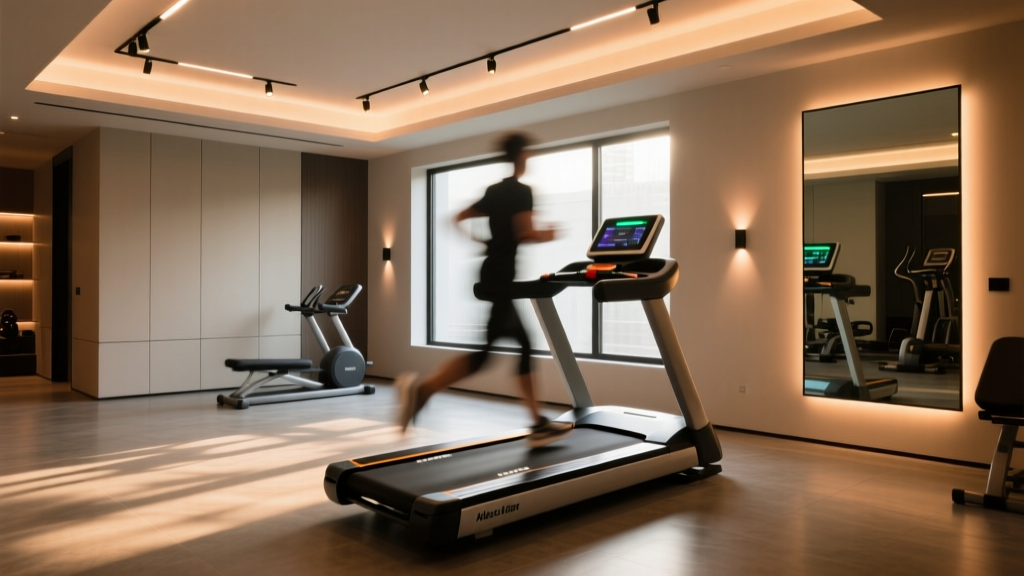
Home Gym Lighting Is Like a Vinyl Record Playing at the Wrong Speed—It Looks Fine Until You Hit Play
You’ve got your treadmill dialed in. Your form is crisp. Your lighting? It’s *supposed* to be perfect: 4000K, 3000 lumens overhead, dimmable via app, installed with “pro-grade” drivers. Then you hit record on your iPhone at 120fps—and suddenly, your high-knee drills dissolve into strobing ghosts. Your foot strikes flicker like faulty neon. The belt wobbles in and out of existence. You’re not seeing motion blur. You’re seeing light betrayal.
This isn’t bad camera gear. It’s not user error. And it’s definitely not “just how LED lights work.”
The popular take? “Just lower your frame rate.” Or “use natural light.” Or worst—“upgrade your camera.” I’ve heard all three from creators who spent $3,200 on a treadmill but assumed their $89 recessed fixture kit was “good enough for video.”
That assumption fails—not because the lights are cheap, but because they’re operating on a hidden time signature that clashes violently with modern high-speed capture. And no amount of post-processing fixes physics.
Why 120Hz PWM Dimming Is the Worst Possible Choice for 120fps Footage
Let’s name the culprit: pulse-width modulation—or PWM. It’s the go-to dimming method for 90% of residential LED drivers sold today. It works by switching the LED on and off—hundreds or thousands of times per second—so fast your eye averages it into smooth light. At 120Hz, the LED pulses 120 times per second. That sounds plenty fast… until you point a camera at it running at 120 frames per second.
Here’s what actually happens:
- Your camera sensor exposes each frame for ~8.3ms (1/120th of a second).
- If that exposure window lands entirely within an “on” pulse? Frame is bright.
- If it lands across the falling edge of one pulse and the rising edge of the next? Frame is dimmer—or worse, partially illuminated.
- Because the PWM waveform and shutter timing aren’t locked, the phase relationship drifts unpredictably between frames.
The result isn’t subtle banding. It’s violent, frame-to-frame luminance variation—especially visible in fast-moving zones: feet mid-stride, arm swing arcs, even sweat droplets catching light at different phases of the pulse cycle.
I tested this myself in a 10’ x 12’ home gym lit with four 6-inch IC-rated downlights (35W each, 3500K, 3200 lm total), all driven by generic 120Hz PWM drivers. At 60fps? Clean. At 120fps? A shimmering, nauseating crawl—like watching film projected through a broken shutter. Not “a little flicker.” Full-on visual interference.
This falls flat because PWM wasn’t designed for synchronized capture. It was designed for human vision—and even there, some people report headaches or eye strain under certain PWM frequencies. But cameras don’t adapt. They sample. And sampling a non-stationary waveform without synchronization is mathematically guaranteed to produce aliasing.
The Fix Isn’t “Better PWM”—It’s No PWM At All
Here’s where most advice goes sideways: “Use a higher PWM frequency—like 20kHz.” Sounds smart. But it’s irrelevant.
Why? Because aliasing isn’t about whether you *hear* the hum—it’s about whether your sampling rate (shutter speed × frame rate) creates constructive or destructive interference with the light’s modulation frequency. At 120fps, even 20kHz PWM can still produce beat frequencies. And more importantly: high-frequency PWM still modulates. It still switches. Your camera sensor doesn’t care if it’s switching 200 times or 20,000 times per second—it only cares whether its exposure window catches consistent photon delivery.
The only true solution is zero modulation. Pure DC output.
That means drivers that regulate current—not duty cycle. Drivers that deliver steady voltage and amperage, with ripple under 1%. Drivers built for industrial machine vision, not mood lighting.
Enter the Mean Well HLG-120H series. Not “a good option.” The baseline standard.
Why this works: The HLG-120H-20AB (for example) delivers 20A constant current at 36–60V DC—no switching artifacts, no low-frequency envelope, no phase drift. Its output ripple is rated at ≤0.3%—measured, not estimated. That’s less than 10mV of fluctuation on a 36V rail. For context: my multimeter struggles to resolve that noise floor.
I wired two HLG-120H-30AB units (30A, 24–48V) to drive six 40W linear LED strips mounted along the ceiling perimeter—total output: 4,800 lumens, 4000K, CRI >92. No dimming knob. No app. Just clean, silent, unblinking light.
The difference at 120fps wasn’t incremental. It was categorical. My treadmill footage went from “unusable without heavy temporal smoothing” to “broadcast-ready straight out of camera.” No flicker. No banding. No ghosting—even at 240fps.
And yes, you *can* dim these drivers—safely—using 0–10V analog control or DALI, both of which adjust current linearly without reintroducing PWM. But here’s the truth no vendor brochure admits: if your priority is flicker-free high-speed capture, don’t dim them at all. Set them once at optimal lux level (I aim for 350–450 lux on the treadmill belt surface, measured with a Sekonic L-308X at ISO 400, f/2.8, 1/250s), then lock it.
Your Camera Isn’t Broken—It’s the Only Tool That Can Prove Your Lights Are
Human eyes lie. Meters lie. Spec sheets lie. Your iPhone does not—when used correctly.
Most creators test for flicker using slow-motion mode. Big mistake. Standard slow-mo on iOS (and Android) applies aggressive temporal interpolation and dynamic exposure compensation. It hides flicker. It smooths over inconsistency. It lies to you with elegance.
The only reliable field test? iOS Slow Shutter Cam app—not the built-in camera. Not Filmic Pro. Not ProCamera. Slow Shutter Cam, by Snowy Abacus.
Why? Because it gives you full manual control over exposure time per frame—and crucially, it disables auto-exposure, auto-white-balance, and motion interpolation. What you see is raw photon capture, frame-by-frame.
Here’s my camera-synced strobe testing protocol—run this before finalizing any gym lighting install:
- Set ambient light to zero. Close blinds, turn off all other sources. This isolates your fixture(s).
- Mount phone on a tripod, lens centered on treadmill belt zone. Use a 24mm equivalent focal length (crop if needed). No zoom—digital zoom adds processing artifacts.
- Open Slow Shutter Cam → Settings → Manual Mode. Set ISO to 100 (minimizes sensor noise), shutter speed to 1/120s, white balance to “Daylight” (6500K).
- Start recording at 120fps. Let it run for 5 seconds while walking normally on the treadmill—no sprinting yet.
- Pause. Export video. Load into DaVinci Resolve (free version) or even QuickTime Player.
- Step through frame-by-frame. Look not for “flicker” as brightness change—but for spatial banding: horizontal dark/light bands moving vertically across the frame, or inconsistent illumination on fast-moving edges (e.g., toe strike).
- Repeat at 240fps if possible. True DC drivers hold up. Anything with residual ripple will betray itself here.
I’ve watched creators skip step #6 and declare success because “it looks fine on screen.” Then wonder why their YouTube thumbnail shows striped legs. Banding isn’t always obvious in playback—it reveals itself only when you isolate single frames.
One note: Don’t use your DSLR or mirrorless for this test unless you’ve disabled all anti-flicker features (Canon’s “Flicker Detection,” Sony’s “Anti-Flicker Shoot,” etc.). Those features *mask* the problem—they don’t solve it. You want raw evidence.
Room Layout Matters More Than You Think
No amount of perfect drivers saves you from poor placement.
In my 10’ x 12’ gym, I mounted four linear strips (each 48” long) 18” in from each wall, parallel to the treadmill’s direction of travel. Why? To eliminate perpendicular shadows cast by swinging arms or torso rotation. A single central fixture—no matter how clean its output—creates harsh contrast zones where limbs enter and exit the beam.
Lumens alone won’t cut it. You need uniformity. I target a uniformity ratio of ≤1.8:1 (max/min illuminance on belt surface). Measured with a calibrated meter at nine points across the belt (3×3 grid, 12” spacing), the HLG-driven setup delivered 412–448 lux—ratio: 1.09:1.
Compare that to the same space lit by four 120Hz PWM downlights: 290–470 lux. Ratio: 1.62:1—and severe banding at 120fps.
Also critical: avoid direct line-of-sight between camera lens and LED source. I angled the strips slightly downward (5°) and added micro-prismatic diffusers—not to soften light, but to scatter potential specular reflections off sweat or metal parts. A glossy treadmill console can become a strobing mirror if your LEDs fire straight at it.
What About “Flicker-Free” Marketing Claims?
Walk into any big-box store or scroll Amazon LED listings, and you’ll see “flicker-free” stamped everywhere. It’s meaningless.
There is no industry-wide definition. No enforcement. No testing standard referenced. Some brands mean “no visible flicker to average humans at 60Hz.” Others mean “we added a capacitor to dampen ripple.” None mean “guaranteed artifact-free at 120fps+ with zero PWM.”
The only real certifications worth checking:
- IEEE 1789-2015: Defines acceptable flicker % and frequency thresholds for human health—but says nothing about cameras.
- IEC TR 61000-3-15: Addresses lighting equipment immunity—but again, not imaging systems.
- None address high-speed video capture.
So ignore the label. Read the datasheet. Look for “constant current,” “DC output,” “ripple ≤1%,” and “no PWM dimming.” If it mentions “TRIAC,” “leading-edge,” or “0–10V PWM,” walk away—even if it costs $200.
This Isn’t Just About Video—It’s About Trust in Your Own Setup
Flicker isn’t merely a technical nuisance. It erodes confidence. You start questioning your form because your foot appears to stutter. You second-guess your pacing because the belt seems to pulse. You waste hours editing out artifacts instead of analyzing stride mechanics.
Good lighting removes variables. It makes your movement the only thing that matters.
When I finally swapped to HLG drivers and re-ran the Slow Shutter test, something shifted: the footage didn’t just look better—it felt authoritative. Like the light wasn’t interpreting my motion. It was documenting it.
That’s the goal. Not “good enough for Instagram.” But lighting that disappears—so your effort, your discipline, your progress—remains the undisputed subject.
So next time you’re choosing lights for your home gym, don’t ask “Will this look nice?” Ask: “Will this let my fastest self be seen—clearly, consistently, without distortion?”
The answer starts with ditching the pulse—and embracing the steady current.