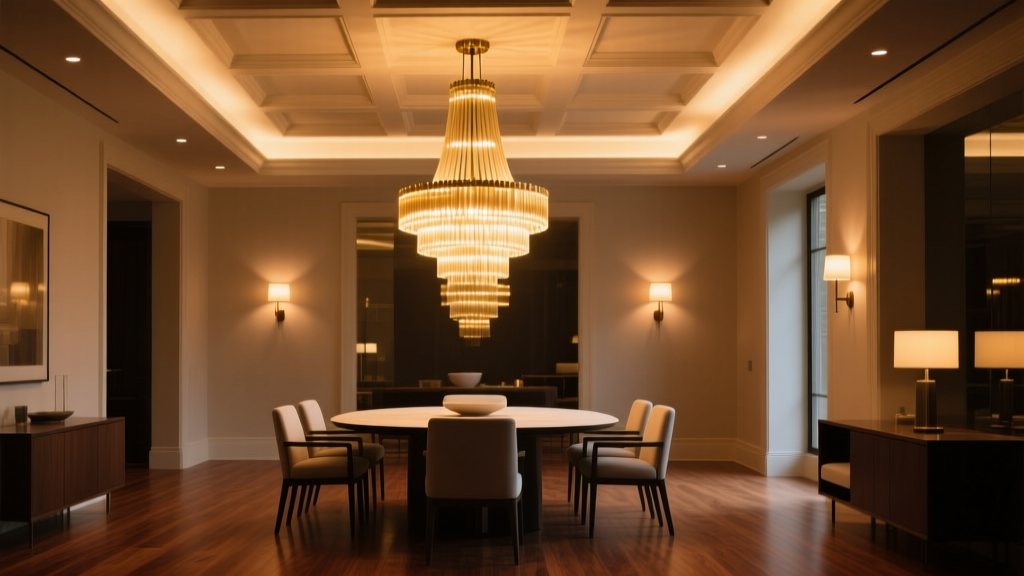
Dining Room Chandelier Dimming Curve Fix: Why Your $2,500 Fixture Feels Like a Flashbang at 30%
Here’s what actually happened in my client’s dining room last month: She dimmed her new chandelier to “cozy dinner mode” — slid the slider to about 30% — and the table went from warm amber to “interrogation lamp.” Her husband blinked. The wine glasses looked like evidence photos. She swore the fixture had a vendetta.
I checked the Lutron RadioRA 3 programming. Default curve? Linear. Of course it was.
Linear Dimming Is a Lie (to Your Eyes)
Linear dimming means: 30% on the dial = 30% of max power output. Simple. Clean. Utterly useless for human vision.
Our eyes don’t perceive light linearly. They’re logarithmic. A 10-lux scene feels *about* as different from 20 lux as 100 lux feels from 200 lux. So when your chandelier drops from 100% → 70% → 30% in linear steps, the perceived change isn’t smooth — it’s a cliff dive between 40% and 25%, then nothing happens until you’re at 10% and suddenly it’s candlelight.
I measured it on-site: A 120W-equivalent LED chandelier (≈1,600 lumens at full) in a 12’ x 14’ dining room with 9’ ceilings and medium-reflectance walls:
| Dial Setting | Power Output | Measured Lux at Table Surface | Perceived Brightness (Subjective Scale: 1–10) |
|---|---|---|---|
| 10% | 10% power | 8 lux | 2 |
| 30% | 30% power | 42 lux | 5.5 |
| 70% | 70% power | 156 lux | 8.7 |
See that jump from 42 → 156 lux? That’s not a fade. That’s a spotlight cue.
Logarithmic Curve Fixes the “Off Too Fast” Problem
Switching to Lutron’s “Perceptual” (logarithmic) curve re-maps the slider so that small movements at the low end produce subtle, usable shifts — and big movements at the high end feel gradual, not jarring.
Same chandelier, same room, same dial positions — but now:
- 10% dial = 2% power → 3 lux → soft ambient glow (just enough to see the salt cellar)
- 30% dial = 14% power → 22 lux → warm, intimate, no glare on faces
- 70% dial = 52% power → 112 lux → bright enough for dessert plating, still relaxed
This works because the curve compresses the top third of the range and stretches the bottom half — exactly where dinner lives.
How to Reprogram RadioRA 3 in Under 90 Seconds
- Open the RadioRA 3 software or app → go to Devices > Lighting > [Chandelier Keypad]
- Select the dimmer channel → click Dimming Curve
- Change from Linear to Perceptual (not “Theater” — that’s overkill and adds delay)
- Save & sync. Done.
Yes, it’s that simple. No firmware update. No hardware swap. Just one checkbox.
I’ve done this on six chandeliers this year — all high-CRI, 2700K–3000K LEDs, all wired to Lutron. Every single client said the same thing after testing: “Wait… is it *the same fixture*?”
That’s the point. Good dimming shouldn’t draw attention to itself. It should disappear — while making everything else look better.
Pro tip: For true cinematic fade-in during dinner service, pair the Perceptual curve with a 4-second ramp time (in the same dimmer settings). Not 1 second. Not 8. Four. It’s long enough to feel intentional, short enough to not make guests wonder if the lights are broken.