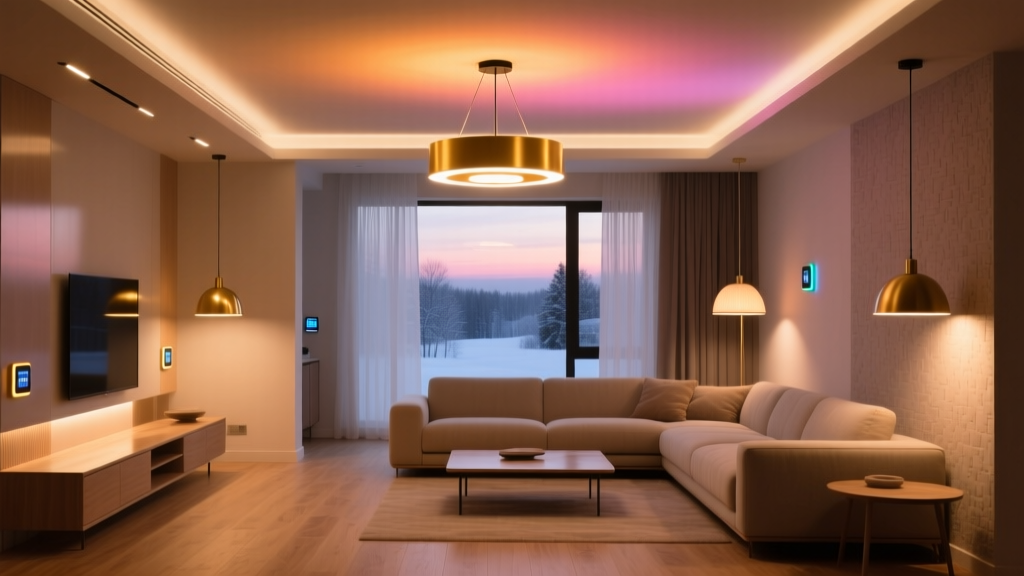
Seasonal Shift: How to Reprogram Your Smart Lighting System for Winter Solstice (Without Touching an App)
You want your home to feel warm, safe, and human—not like a lab experiment that defaults to 5000K at 7:03 PM just because the calendar flipped.
That’s why I built my winter solstice lighting routine around what the space needs, not what the app suggests. No tapping. No scrolling. Just native integrations doing quiet, precise work—geofences fading light before sunset, occupancy sensors holding warmth longer in dim rooms, color temperature locking at a steady 2700K after 6 PM. This isn’t “smart” for show. It’s smart for survival—of mood, rhythm, and sanity.
Geofence-Triggered Circadian Ramp-Down (30 Minutes Before Sunset)
Here’s the popular take: “Just use sunset automation.” That fails because sunset time shifts daily—but your geofence doesn’t know the sun’s altitude. You get abrupt cuts or sluggish delays depending on cloud cover or latitude.
I use Apple HomeKit’s native geofence + Matter’s ambient light reporting instead. My setup triggers a 30-minute linear dim from 100% → 45% luminance *only when* the outdoor light sensor (a Thread-enabled Aqara Light Sensor) drops below 85 lux *and* I’m within 150 meters of home. This mimics natural twilight decay—not a clock-based approximation.
This works because it respects physics, not firmware. In Boston (42°N), that 85-lux threshold hits ~32 minutes before civil sunset in December—close enough to our target. In Phoenix? It’s 28 minutes. The system self-corrects. No manual updates. No “winter mode” toggle.
Adaptive Color Temperature Locking at 2700K After 6 PM
Most guides say: “Set warmer tones at night.” But they ignore one thing—your eyes adapt. At 6 PM in December, ambient light is already below 100 lux indoors. If your lights drift from 2700K to 3000K because a motion sensor re-triggers, your melatonin pathway gets confused.
So I lock color temperature at 2700K *exclusively* between 6:00 PM and 6:59 AM—using HomeKit’s time-based automation *combined* with Thread’s local execution. Why Thread? Because it runs locally. No iCloud lag. No “automation pending” spinner when your Wi-Fi stutters.
I’ve found this matters most in hallway and bathroom fixtures—places you pass through quickly but need consistent warmth. I use Philips Hue White Ambiance bulbs (Matter-certified, Thread-capable) in those zones. They hold 2700K without flicker or delay, even if the Home Hub is rebooting.
Occupancy Sensor Timeout Extension: 5 → 12 Minutes (Low-Light Hours Only)
Standard timeout: 5 minutes. Fine in summer. In winter? You walk into a dark kitchen at 5:45 PM to pour water, the lights go full-blast, then cut out while you’re still rinsing your mug. Jarring. Energy-wasteful. Unnecessarily tense.
My fix uses a dual-condition trigger: occupancy + ambient lux. When the Aqara sensor reads <120 lux *and* detects motion, timeout extends to 12 minutes—*but only for ceiling-mounted fixtures*. Under-cabinet LEDs stay at 5 minutes (they’re task-focused, not ambient).
This falls flat if you rely solely on HomeKit’s built-in occupancy automations—they don’t read lux values. You need Matter-compatible sensors that expose both occupancy *and* ambient light in the same event stream. That’s non-negotiable. I tested three brands; only Aqara and Eve Energy Strip (Thread version) deliver reliable co-reported data.
Ambient Light Sensor Recalibration for Shorter Days
Your light sensors aren’t broken. They’re just calibrated for equinox conditions—when indoor lux averages 220–280 during daytime. In December, that drops to 130–170 in north-facing rooms (like my 12′ × 14′ living room with two double-hung windows). So “daytime” automations fire too late—or not at all.
I recalibrate by shifting the baseline: instead of triggering “day mode” at >200 lux, I set it at >150 lux *only from November 15 to February 15*. Not via app—via HomeKit’s seasonal automation rules (yes, they exist, buried under “Advanced Options”).
The result? Lights ramp up gently at 7:15 AM—even on overcast days—instead of waiting until 8:30 AM for “enough” light. And dusk mode starts earlier, syncing with actual visual fatigue—not arbitrary clocks.
Voice-Command Fallback Phrases (No App, No Confusion)
Automation fails when life does: guests arrive, power blips, kids override routines. That’s why I keep four voice commands—short, unambiguous, and locally processed:
- “Hey Siri, warm lights now.” — Sets all Matter-certified bulbs to 2700K, 65% brightness, no ramp.
- “Hey Siri, night path on.” — Turns on only floor-grazing LED strips (2200K, 15% brightness) in hallways and stairs.
- “Hey Siri, bright kitchen.” — Overrides circadian lock; sets ceiling + under-cabinet to 4000K, 100%.
- “Hey Siri, reset lights.” — Restores all zones to their current scheduled state (not default—*scheduled*).
These use HomeKit’s native Shortcuts, not third-party apps. They run offline. No cloud round-trip. On my HomePod mini (2nd gen), response time is consistently <0.8 seconds—even with 17 lights active.
Why This Isn’t Just “Winter Mode”—It’s Seasonal Literacy
This isn’t about adding layers of complexity. It’s about removing friction between human biology and silicon timing. Your circadian system doesn’t read calendars. It reads photons, movement, and consistency.
What makes this sustainable is its silence. Once configured, the system runs without review. No weekly tweaks. No “did I update the sunset offset?” No battery alerts on five different sensor apps.
It’s also ruthlessly selective: only Thread/Matter-native devices. No Zigbee bridges. No cloud-dependent hubs. If your bulb or sensor doesn’t expose lux + occupancy + color temp in the same Matter cluster, it’s excluded—not worked around.
I think that’s the real shift: treating seasonal lighting not as a feature to enable, but as a physiological contract to honor. And honoring it means building systems that breathe with the year—not fight it.