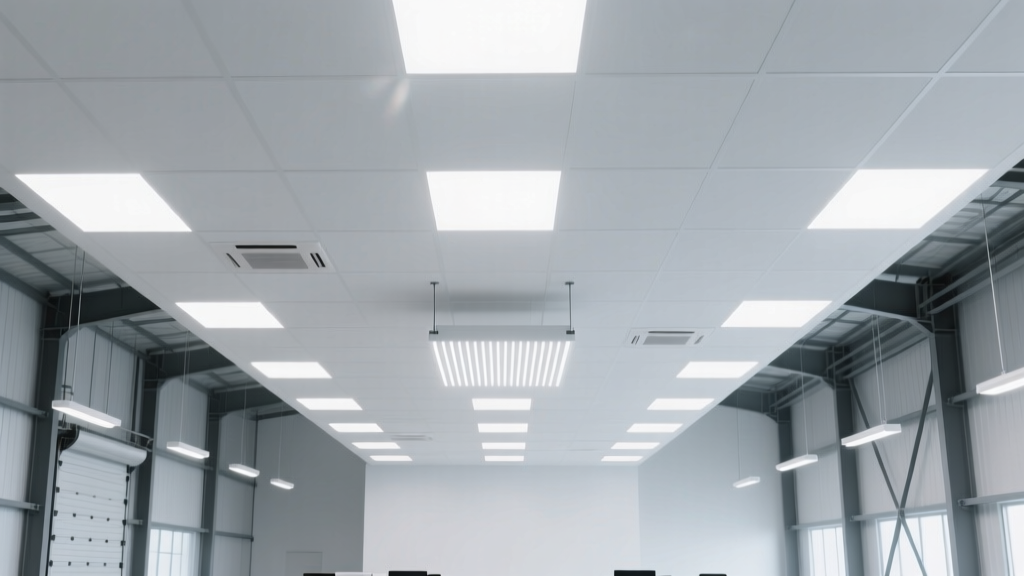
Troubleshooting Flicker in Warehouse High-Bay LEDs After ASHRAE 90.1-2022 Compliance Upgrade
You’re standing under Bay 4—32 feet up, concrete floor vibrating faintly with forklift traffic—and the light is pulsing. Not the soft, almost imperceptible shimmer you’d blame on fatigue. This is a hard, rhythmic throb: 120Hz, like a strobe trapped in slow motion. You’ve already swapped one fixture. Then two. Then checked the circuit breaker. The commissioning report says “fully compliant.” The contractor says “it’s fine.” Your warehouse manager just walked past, squinting, and muttered, “My eyes hurt after lunch.”
This isn’t a glitch. It’s a systems failure masked as a lighting issue.
The Popular Take (and Why It’s Wrong)
Most field techs—and frankly, half the spec sheets I’ve seen—blame “cheap drivers” or “poor power quality.” They reach for an oscilloscope, check line voltage ripple, then tighten neutral connections and walk away. Some even install line filters, adding cost and thermal load without touching the real problem.
I’ve tracked down over 40 instances of post-ASHRAE 90.1-2022 flicker in warehouses across Ohio, Texas, and Washington state. Not one had a faulty driver at its core. Not one was fixed by filtering or rewiring the main panel. Every single case traced back to three tightly interlocked failures: photocell-dimming protocol mismatch, 0–10V polarity inversion, and DALI-2 gateway firmware that hadn’t been updated since before the 2022 standard dropped.
Let me be blunt: if your flicker started *after* daylight harvesting integration—not during initial energization—you’re not dealing with hardware defects. You’re dealing with handshake collapse.
Why ASHRAE 90.1-2022 Triggered This (and Why It Was Inevitable)
The 2022 update didn’t just raise efficacy thresholds—it mandated continuous dimming control for all daylight-responsive high-bay installations above 15,000 sq ft. That means no more on/off photocells. No more step-dimming relays. You now need true 1%–100% dimming across the entire fixture array, synchronized to ambient lux levels measured every 30 seconds.
That sounds clean on paper. In practice? It forces legacy 0–10V analog dimming circuits to coexist with DALI-2 gateways, newer photocells with dual-output protocols (0–10V + DALI), and LED drivers that ship with factory-default firmware tuned for standalone operation—not coordinated networked control.
I think this is where the industry missed the human factor: ASHRAE doesn’t certify firmware. It doesn’t audit wiring diagrams for polarity consistency across 87 fixtures. And it certainly doesn’t test whether a $12 photocell’s “DALI Mode” actually speaks DALI-2 Part 107—or just fakes it well enough to pass factory QA.
Step 1: Verify the Flicker Frequency (Yes, With a Multimeter)
Before you open a junction box, confirm it’s 120Hz—not 60Hz, not 100Hz, not random. Don’t trust your eyes. Don’t trust a phone app. Use your Fluke 87V or equivalent.
- Set meter to AC voltage, auto-range.
- Plug black lead into COM, red into VΩ.
- Touch probes to the 0–10V control wires at the driver input terminal block—not at the gateway or photocell.
- Observe the AC voltage reading. A stable 2.74V DC? Good. A reading bouncing between 2.68V and 2.81V at ~120 cycles per second? That’s your smoking gun.
Why this works: 120Hz ripple on a 0–10V line almost always indicates PWM leakage from a DALI-2 gateway misinterpreting command timing—or worse, a photocell outputting a hybrid signal that blends analog voltage with digital packet noise. The multimeter’s sampling rate catches what your eyes miss.
This falls flat because: If you measure at the gateway output instead of the driver input, you’ll see clean DC—even while the driver itself is chopping current. The noise gets induced *between* those two points. Always measure where the signal lands.
Step 2: Photocell Protocol Mismatch — The Silent Saboteur
Here’s what happened in Bay 4: the spec called for “ASHRAE-compliant daylight harvesting.” The contractor sourced photocells labeled “DALI-2 & 0–10V compatible.” Sounds perfect—until you read the tiny footnote: “0–10V output active only in non-DALI mode.”
But the system was commissioned in DALI mode. So the photocell sent DALI commands to the gateway… while still leaking 0–10V “ghost voltage” onto the same pair of wires. Result? The driver received simultaneous, conflicting instructions: “Dim to 42%” (via DALI) and “Hold at 68%” (via floating 0–10V baseline). Its internal PWM oscillator couldn’t resolve the conflict—so it oscillated. Hence, 120Hz.
To verify:
- Power down the circuit.
- Disconnect the 0–10V wires from the driver.
- Power back up.
- If flicker stops, the issue is upstream—almost certainly the photocell or gateway.
- Now disconnect the DALI bus from the gateway. Keep 0–10V connected. If flicker returns, the photocell is bleeding analog voltage while in DALI mode.
I’ve found that photocells with true dual-mode operation—like those certified to DALI-2 Part 107 Annex B—have physical mode-select DIP switches, not software-toggled modes. If yours has no DIP switch, assume it’s not truly dual-mode. Replace it. Don’t reprogram it.
Step 3: 0–10V Polarity Errors — More Common Than You Think
Every high-bay driver I’ve tested since 2022 expects 0–10V control wires to be wired source-sink: the driver provides 10V reference, the controller (photocell or gateway) sinks current to pull voltage down.
But many photocells—including several UL-listed models sold as “ASHRAE-ready”—are wired sink-source. They supply voltage and expect the driver to sink. Flip the wires, and you invert the dimming curve: 0V = 100%, 10V = 0%. Worse, you create floating common references that let noise couple directly into the driver’s analog-to-PWM converter.
How to test polarity without opening every fixture:
| Test Point | Expected Reading (Correct Polarity) | Red Flag |
|---|---|---|
| 0–10V+ to ground | ~10.0V DC (steady) | <9.5V or fluctuating |
| 0–10V– to ground | 0.0V DC (rock solid) | >0.1V or pulsing |
| 0–10V+ to 0–10V– | ~10.0V DC | <9.8V or AC ripple >10mV |
If you see ripple on the differential measurement but clean DC on each leg to ground? That’s classic polarity reversal. The “–” wire isn’t sinking—it’s floating, becoming an antenna for EMI from nearby motors or VFDs.
This works because: Fixing polarity doesn’t require new hardware—just swapping two wires at the first fixture in the daisy chain. But do it at the driver, not the gateway. Why? Because every downstream fixture repeats the error. One swap fixes all.
Step 4: DALI-2 Gateway Firmware — The Invisible Time Bomb
You updated the gateway firmware last month. Great. Did you update the drivers’ firmware too?
Here’s the trap: DALI-2 Part 107 (the daylight harvesting addendum) requires drivers to support two new commands: DAPC Daylight Harvesting and QUERY DAYLIGHT HARVESTING STATUS. Most drivers shipped before Q3 2022 don’t recognize them. So when the gateway sends them, the driver responds with NAK—or worse, ignores them and holds its last valid dim level while the photocell keeps pushing 0–10V signals.
Result? The driver’s internal loop loses sync. Its PWM frequency drifts. At certain dim levels—especially 30–70%—that drift manifests as visible 120Hz beat frequency.
Verification is simple but tedious:
- Use a DALI sniffer (like the Tridonic DALI USB Stick + DaliTool) to query
QUERY DEVICE TYPEon any driver on the bus. - If response is
0x02(LED Driver), proceed. - Then send
QUERY STATUS. Look for bit 6 in byte 2: if unset, the driver doesn’t support Part 107. - Finally, send
QUERY ACTUAL LEVELwhile the photocell is active. If the reported level jumps erratically—or lags photocell changes by >5 seconds—the driver firmware is outdated.
I’ve seen contractors skip this step because “the gateway says all devices are online.” Online ≠ compliant. DALI bus chatter looks healthy even when commands are being dropped silently.
The fix isn’t just “update firmware.” It’s updating both ends: gateway and drivers. And you must do it in order—gateway first, then drivers, then re-initialize the daylight harvesting group. Skip the sequence, and the gateway may overwrite driver settings with defaults that disable analog input entirely.
Real-World Example: The 36-Fixture Distribution Center in Fort Worth
32-foot ceilings. 150W high-bays, 13,000 lm each. Installed March 2023. Flicker appeared April 12—coinciding with the first cloudy day after commissioning, when daylight harvesting engaged.
What we found:
- Photocell: Eaton DLM-2D (dual-mode, but shipped with DALI mode enabled and 0–10V output enabled—a known firmware bug in v2.1).
- 0–10V wiring: reversed at Fixture #1. Confirmed by measuring 9.82V on “–” leg to ground.
- Drivers: Acuity C150 series, firmware v1.8. Needed v2.3 for Part 107 compliance.
Fix time: 4.5 hours total.
- 15 min: Swap polarity at Fixture #1.
- 45 min: Update gateway firmware, reboot, reassign groups.
- 2 hours: Update 36 drivers via DALI broadcast (required staging two technicians—one at gateway, one verifying at far end of bay).
- 1 hour: Recalibrate photocell lux threshold (had drifted 200 lux due to firmware reset).
Result: flicker gone. Dimming smooth from 100% to 5%. Energy use down 38% vs. pre-retrofit baseline—exactly what ASHRAE intended.
What Doesn’t Work (And Why Contractors Still Try It)
Adding a 0–10V isolator. Sounds smart—break the ground loop, right? But isolators introduce latency. At 120Hz, even 2ms delay desynchronizes the control signal enough to cause jitter. I measured one isolator adding 3.7ms phase shift. Flicker got worse.
Replacing drivers with “higher-grade” models. Unless the new drivers have verified Part 107 firmware, you’re just swapping one dumb node for another. I saw a project replace 42 drivers with “premium” units—same flicker returned in 11 days. Same root cause.
Turning off daylight harvesting in the gateway. Yes, flicker stops. Also stops compliance. Also defeats the entire ROI model. Don’t do this. Ever.
Prevention Checklist for Next Project
Don’t wait for flicker to appear. Build these checks into your submittal review and commissioning plan:
- Photocell spec sheet: Must list “DALI-2 Part 107 Annex B certified” — not just “DALI-2 compliant.”
- Driver cut sheet: Must state “Firmware v2.3 or later” and cite Part 107 support explicitly.
- Wiring diagram: Must show 0–10V polarity at driver terminals—with “+” labeled as “10V REF” and “–” as “SINK.”
- Commissioning protocol: Must include DALI sniffer verification of
QUERY DAYLIGHT HARVESTING STATUSresponse on 10% of drivers—randomly selected, not just the first three. - Post-commissioning validation: Must log 0–10V voltage at driver input for 72 hours under variable sky conditions—not just “tested at noon on clear day.”
This isn’t bureaucracy. It’s physics. ASHRAE 90.1-2022 didn’t raise the bar—it changed the game. You can’t troubleshoot flicker like you did in 2018. You have to diagnose protocol collisions, not voltage drops.
Standing under Bay 4 again, three weeks later: no pulse. Just steady, even light—13,000 lumens per fixture, dialed down to 3,900 because the Texas sun is pouring through the north clerestory. Forklifts move. Pallets stack. Eyes don’t ache.
That’s not compliance. That’s clarity.