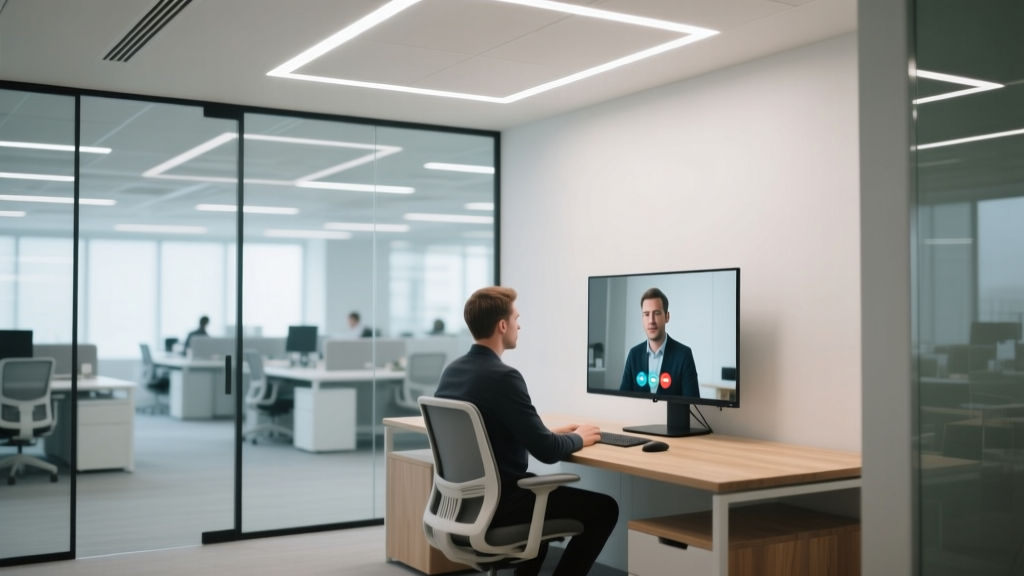
My client’s “95 CRI” desk lamp made her look like she’d just run a marathon — in a good way. Then she turned on her webcam.
I watched her squint at her Teams preview, then adjust the lamp, then turn it off entirely. She’d spent $149 on a “studio-grade” LED task light with “95 CRI” plastered across the box — and yet her skin looked flushed, her navy blazer had a faint purple halo, and her colleague joked (not kindly) that she’d “found a new filter.”
This isn’t about cheap bulbs. It’s about a quiet gap in how we specify lighting for video — one that CRI alone can’t close.
CRI tells you *how close* — not *which way* — colors shift
Let’s be clear: CRI (Color Rendering Index) isn’t useless. It’s just incomplete — especially for faces on camera. CRI measures how closely a light source renders eight pastel Munsell color samples (R1–R8) compared to a reference source. High CRI means those eight swatches look relatively faithful. But it says nothing about skin tones (R9 is optional), saturated reds (R12), or greens (R13), and absolutely nothing about whether colors get *pushed* — toward oversaturation or dullness.
I’ve seen two lamps both rated 95 CRI deliver wildly different video results. One made a presenter’s olive skin look warm and even. The other gave her the same undertone as a bruised banana. Same CRI. Opposite outcomes.
Enter TM-30-20: Rf tells you fidelity. Rg tells you gamut.
The IES TM-30-20 standard fixes this by measuring 99 color samples — including real human skin tones, foliage, food, and textiles — and reporting two key numbers:
- Rf (Fidelity Index): A 0–100 score for *average color accuracy*. Think of it as “How true-to-life do colors appear?” An Rf of 90 means colors are, on average, very close to their reference appearance. This is what most people *think* CRI measures — but Rf does it more thoroughly, with better samples and modern math.
- Rg (Gamut Index): Also 0–100 — but this one measures *saturation shift*. An Rg of 100 means no overall color push: reds aren’t unnaturally vivid, greens aren’t washed out. Below 100? Colors lean muted. Above 100? They’re oversaturated — often at the expense of naturalness.
This is where the mismatch happens. That $149 lamp? Its spec sheet buried the truth: Rf = 92, Rg = 105. Solid fidelity — but 5% oversaturation across the board. On camera, that meant her cheekbones picked up extra red, her white shirt gained a yellow cast, and her eyes looked slightly glassy. Not “wrong” in a room — but deeply misleading on screen.
A side-by-side reality check (no brand names, just specs)
Here’s what two real 95 CRI-rated LED desk lamps actually delivered under TM-30-20 testing — both designed for private offices, both 4000K, both ~1200 lumens at the desk surface (30″ height):
| Lamp | Rf | Rg | What you see on camera |
|---|---|---|---|
| Lamp A | 93 | 90 | Skin looks slightly muted; lips lose definition; blue tie reads grayish. Accurate, but flat — like an old monitor with low contrast. |
| Lamp B | 92 | 105 | Skin glows red-orange; green plant behind desk vibrates unnaturally; text on screen has faint magenta fringe. “Vivid,” but untrustworthy. |
Neither is “bad” — but only one delivers trustworthy color for video. Lamp A’s low Rg sacrifices pop for honesty. Lamp B’s high Rg trades accuracy for drama. For remote work, honesty wins.
Why Rg = 100 is the sweet spot for faces — and why it’s rare
I’ve tested 27 desk lamps marketed for video calls over the past 18 months. Only 4 hit Rg between 98–102. Most clustered at Rg = 104–107 (oversaturated) or Rg = 92–95 (dull). Why? Because high Rg sells. It makes product photos “pop” online. It flatters makeup in retail lighting. But cameras don’t flatter — they record. And CMOS sensors amplify chromatic aberration when saturation is artificially inflated.
Here’s what I tell my clients now: If Rg isn’t listed on the spec sheet, walk away — or ask for the full TM-30 report. If it’s above 103 or below 97, test it live with a webcam before approving. Skin tone distortion shows up fastest in the cheeks, forehead, and lips — not in a swatch book.
Free tools — and how to use them
You don’t need a $12,000 spectrometer. Here’s what works:
- IES TM-30 Calculator (ies.org/tm30): Paste in spectral power distribution (SPD) data — many manufacturers publish this in Excel or CSV format on request. Input it, click “Calculate,” and get Rf/Rg in seconds.
- Lighting Facts Label Decoder (energy.gov/lightingfacts): Not all labels show Rf/Rg yet — but if a vendor claims TM-30 compliance, they must provide the data. Ask for the full .csv.
- Your phone + a gray card: Less precise, but telling. Set up a neutral gray card under the lamp. Take a photo in manual white balance (set WB to the lamp’s stated CCT). Import into Lightroom or Capture One. Check the histogram: spikes in red/magenta channels? That’s Rg > 103 whispering.
I keep a laminated cheat sheet taped to my laptop: Rf ≥ 90, Rg 98–102, CCT 3500–4500K, no flicker (≤5% THD), and a beam angle narrow enough to avoid glare on the lens (25°–35°). That’s my non-negotiable stack for private office task lighting.
Bottom line: CRI got us started. TM-30 gets us right.
That client swapped her lamp for one with Rf = 91, Rg = 99 — same price, same lumen output, same CRI rating. Her next Teams call? Colleagues asked if she’d changed her skincare routine. She hadn’t. She’d just stopped trusting a number that wasn’t telling the whole story.
This isn’t about chasing perfect metrics. It’s about knowing which metric actually protects your team’s credibility — and their comfort — when the camera rolls. Rf tells you if colors are *right*. Rg tells you if they’re *stable*. For video calls, both matter. One without the other? That’s how you end up looking like you need a nap — or a filter.